



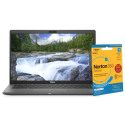


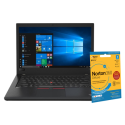

Excellent cosmetic condition - looks like new and saves you money.


Save money
Enjoy significant savings without compromising on quality.

Reduce waste
Reduce electronic waste and lower your carbon footprint.

Extensively tested
Every refurbished device is rigorously tested and repaired by certified technicians.
BSI Kitemark Certified
This device meets the BSI Kitemark™ certification standards, guaranteeing its quality and safety.

Warranty included
This device is protected with a warranty covering both parts and labour.
Premium Performance
Powered by Intel Core i7 10th Gen processor for fast, responsive multitasking and productivity.
Ample Memory & Storage
16GB RAM ensures smooth performance across demanding applications, while the 512GB SSD delivers rapid boot times and ample space for files.
Versatile 2-in-1 Design
Touchscreen with 360° flip functionality transforms easily between laptop, tablet, tent, and stand modes.
Windows 11 Pro
Enhanced security, productivity, and modern interface tailored for professional and business use.
Durable Build
Sleek silver/grey chassis with military-grade durability, designed to withstand everyday wear and tear.
Immersive Display
High-resolution touchscreen with vibrant colors and precise touch support for creative and professional tasks.
Refurbished Reliability
Professionally restored to like-new condition, tested for quality assurance, and backed by 1 year warranty.
What's in the Box?
- Laptop
- Power adaptor
When setting up your new unit you will need to activate your Microsoft License Key. Follow the simple step by step guide to find out how to do so, it is really quick and easy to do!
How to activate your Microsoft License Key »