













Appliances Direct
Laptops Direct
Drones Direct
Better Bathrooms
Furniture 123
Dehumidifiers
Outdoor Living
Aircon
Buying for Business?

Get sales advice from our team 7 days a week

0871 244 0934
Gaming PC.

Your Guide to Buying AI-Powered Tech

AI isn't just industry buzz; it's practical technology built into modern hardware that speeds up tasks and improves efficiency. From smarter photo editing to smoother performance across the board, AI-integrated hardware handles the heavy lifting locally on your device. Here is how to choose the right AI-powered kit for your needs.

AI-Powered Laptops

Who needs them? What are they good for? What are the benefits?

Who needs an AI Laptop?

While AI features benefit everyone, three specific groups see the biggest return on investment. Content Creatives (videographers, designers, photographers) will see immediate time savings; the NPU (Neural Processing Unit) speeds up rendering and smart editing tools in software like Adobe Premiere and Photoshop.

Mobile Professionals who spend their day on Teams or Zoom calls need these devices for the superior battery life and intelligent call features that process locally rather than draining the main CPU.

Finally, Students buying a laptop for a 3-4 year degree should choose AI models to future-proof their setup, as more software becomes AI-dependent in the coming years.

Who needs an AI Laptop?
What are they good for?

What are they good for?

AI laptops excel at managing workloads intelligently. They are best for handling background tasks that usually slow down a standard PC. AI laptops excel at managing workloads intelligently. They are best for handling background tasks that usually slow down a standard PC.

For example, during a video call, an AI laptop uses its NPU to handle background blur, noise isolation, and auto-framing. This leaves the main processor free to run your other apps smoothly.

They are also ideal for running on-device AI assistants (like Copilot) to summarise documents, draft emails, or organise files instantly without needing a constant, heavy internet connection to a cloud server.

The Benefits: Why upgrade?

The primary benefit is efficiency. By offloading smart tasks to the NPU, the laptop's main processor works less, which leads to significantly longer battery life—a major pain point for most users.

Privacy is another key advantage; because these laptops process AI tasks directly on the hardware, your sensitive data (like biometric logins or document summaries) doesn't always need to leave your device.

Lastly, you get performance longevity. As operating systems like Windows 11 integrate more AI features, older laptops will struggle to keep up, whereas an AI-ready laptop is built to handle these demands from day one.

Shop now »
The Benefits: Why upgrade?
Why Copilot + PCs Are The Next Evolution of the Laptop

Why "Copilot+ PCs" Are the Next Evolution of the Laptop

What Exactly is a "Copilot+ PC"?

Think of "Copilot+ PC" as a certification badge, similar to the "Ultrabook" label from a decade ago. To earn this badge, a laptop must meet a strict set of hardware requirements set by Microsoft. The most critical requirement is a piece of silicon you might not have heard of before: the NPU.

  • The NPU (Neural Processing Unit): Unlike the CPU (which handles general tasks) or the GPU (which handles graphics), the NPU is a specialized brain designed exclusively for AI tasks.
  • The "40 TOPS" Rule: To qualify as a Copilot+ PC, the NPU must be capable of performing at least 40 Trillion Operations Per Second (TOPS).

This dedicated hardware means your laptop can run complex AI models locally on the device, rather than sending your data to a server farm. The result? Faster performance, better privacy, and features that work even when you’re offline.

The "Big Three" Features

If you buy a Copilot+ PC today, these are the main experiences that differentiate it from a standard Windows 11 laptop:

Windows Studio Effects: Your AI Video Director

Windows Studio Effects: Your AI Video Director

While we have all used background blur on Zoom, Copilot+ PCs take video conferencing to a professional level by offloading the work to the NPU. Because this happens on the hardware level, these effects work across every video app (Teams, Zoom, Google Meet, Slack) without slowing down your computer.

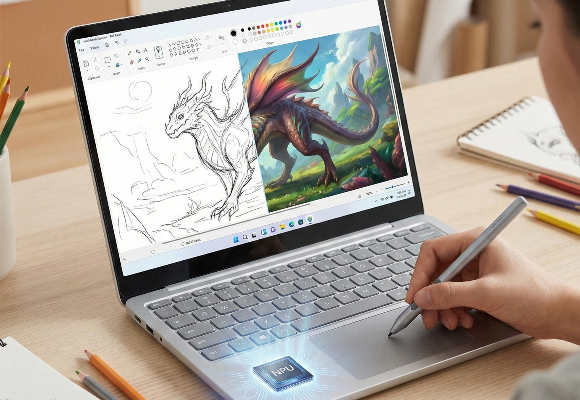
Cocreator: On-Device Generative Art

Cocreator: On-Device Generative Art

Cocreator integrates generative AI directly into MS Paint and Photos, allowing users to transform rough sketches and text prompts into polished artwork in real-time. By processing locally on the NPU, it delivers instant results without the lag or privacy concerns of cloud-based servers.

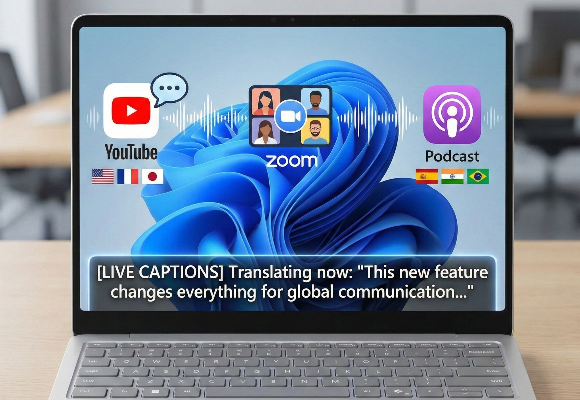
Live Captions: Universal Translation

Live Captions: Universal Translation

This feature listens to any audio playing on your computer—whether it's a YouTube video, a Zoom call, or a podcast—and translates it into English subtitles in real-time. It currently supports over 40 languages. It is a game-changer for international business and accessibility.

The Era of the AI Phone: Apple Intelligence vs. Galaxy AI

The smartphone has evolved. It is no longer just a window to the internet; it is becoming an active participant in your life. Both Apple and Samsung have launched their respective visions for "AI on phones," but they approach it with very different philosophies.

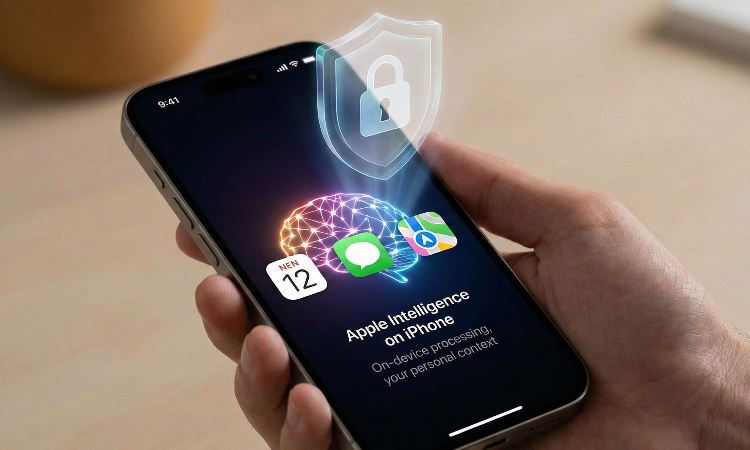
Apple Intelligence on iPhone

Apple Intelligence is deeply woven into iOS, designed to understand your personal context—your calendar, your messages, your location—while maintaining strict privacy standards through on-device processing.

The Core Benefits:

  • Privacy-First Architecture: Unlike many AI models that instantly send data to the cloud, Apple Intelligence processes most tasks directly on your iPhone's dedicated neural engine. If it needs more power, it uses "Private Cloud Compute," where data is never stored or accessible even to Apple.
  • System-Wide Writing Tools: You aren't forced to use a specific AI app to write. Whether you are in Mail, Notes, Pages, or a third-party app, you can highlight text to proofread, rewrite for a different tone (e.g., "Professional" or "Friendly"), or summarize.System-Wide Writing Tools: You aren't forced to use a specific AI app to write. Whether you are in Mail, Notes, Pages, or a third-party app, you can highlight text to proofread, rewrite for a different tone (e.g., "Professional" or "Friendly"), or summarise.
  • Siri with Screen Awareness: Siri can finally see what is on your screen. If a friend texts you an address, you can simply say, "Add this to his contact card," and Siri understands who "this" and "he" are.
Apple Intelligence on iPhone

Who is it good for?

The inbox zero professional

The "Inbox Zero" Professional

If you drown in notifications and emails, Apple Intelligence is your lifesaver.

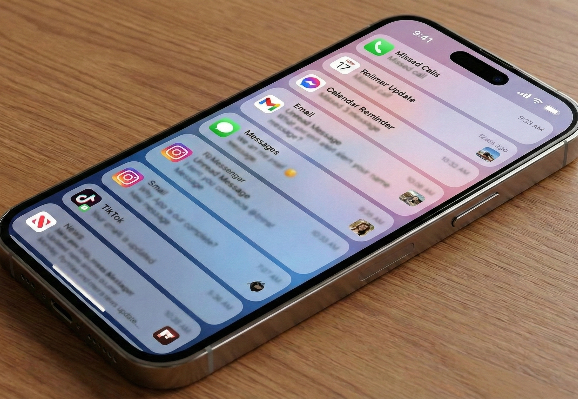
Priority Notifications: Instead of a chronological list, your phone scans the content of notifications and bubbles the most urgent ones (like a frantic text from a spouse or a flight change) to the top.

Smart Summaries: It doesn't just show the first two lines of an email; it reads the whole thread and gives you a one-sentence summary of the actual point right on the lock screen.

The Creative Communicator

The Creative Communicator

For those who find standard emojis limiting.

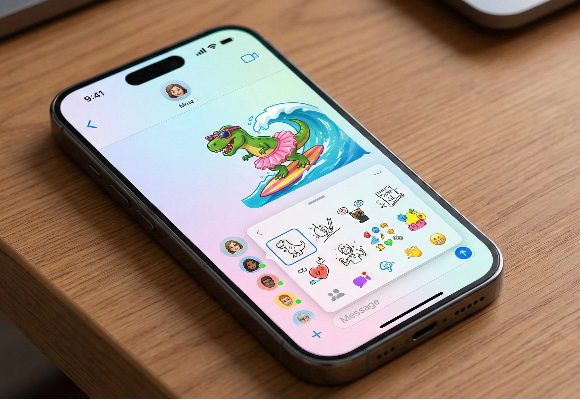
Genmoji: You can type a prompt like "T-rex riding a surfboard wearing a tutu" and instantly generate a custom emoji to use in iMessage.

Image Playground: A dedicated space to create playful images and sketches based on your contacts and context, perfect for spicing up group chats or presentation slides.

The Nostalgic Photographer

The Nostalgic Photographer

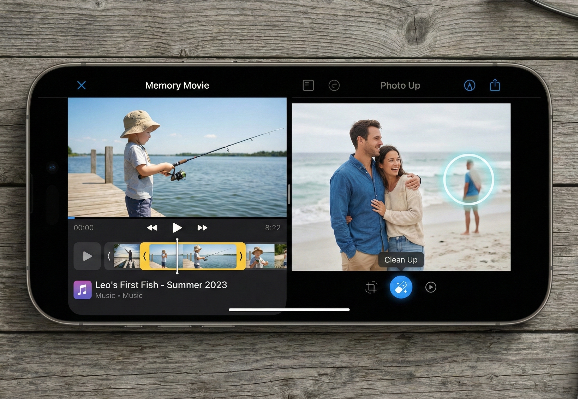
Memory Movies: You can type a natural prompt like "Leo learning to fish in the summer," and the AI will scour your library, find the relevant photos and videos, arrange them into a narrative arc, and set them to appropriate music.

Clean Up Tool: Removes photobombers or distracting objects from backgrounds with a simple tap, similar to Google's Magic Eraser but with Apple’s focus on preserving natural textures.

Galaxy AI on Samsung

Galaxy AI on Samsung

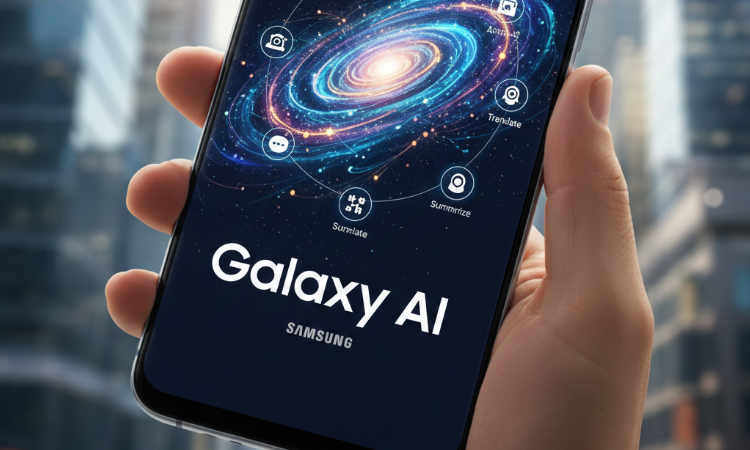
Samsung (in collaboration with Google) views AI as a power tool. Galaxy AI is less about subtle integration and more about giving you a "sledgehammer" to break down barriers—whether those are language barriers, creative blocks, or the tediousness of searching the web.

The Core Benefits:

  • Breaking Language Barriers: Samsung is the clear leader in translation. Its tools work in real-time and often do not require an internet connection if language packs are downloaded.
  • Search Reinvented: The partnership with Google has birthed "Circle to Search," arguably the most intuitive search feature on any phone.
  • Productivity Heavy Lifting: Galaxy AI is excellent at taking large amounts of messy data (voice recordings, messy notes) and turning them into structured, usable formats.

Who is it good for?

The International Traveler

The International Traveler

Galaxy AI is the ultimate travel companion.

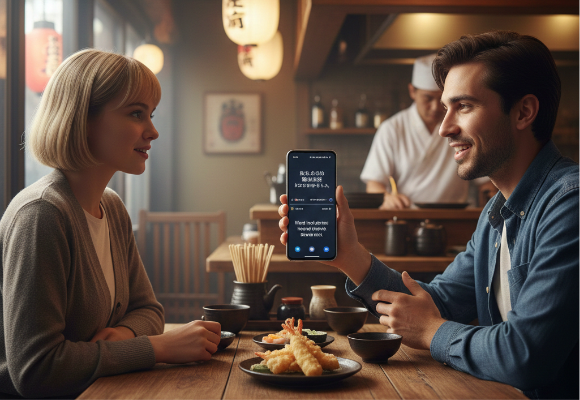
Live Translate: You can call a restaurant in Tokyo that only speaks Japanese, speak in English, and the phone will translate your voice to Japanese for them, and theirs to English for you—in real time during the call.

Interpreter Mode: A split-screen mode for face-to-face conversations. You speak, and the phone translates and displays text for the other person (flipped so they can read it).A split-screen mode for face-to-face conversations. You speak, and the phone translates and displays text for the other person (flipped so they can read it).

The Student and Researcher

The Student and Researcher

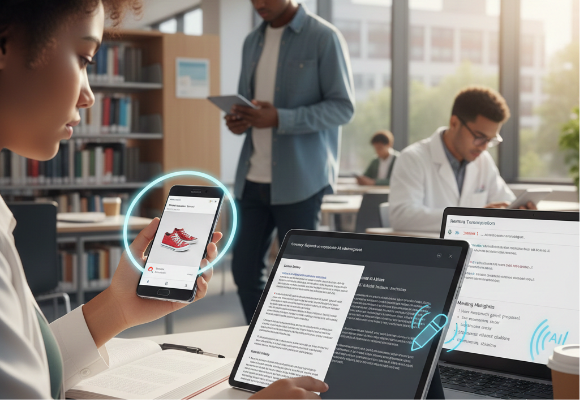
Circle to Search: If you are watching a YouTube video or scrolling Instagram and see a landmark (or a cool pair of shoes), you simply hold the home button and circle the item. Google immediately identifies it. No typing, no screenshotting.

Note Assist: You can dump a messy, 500-word stream-of-consciousness rant into Samsung Notes, and the AI will auto-format it with headers, bullet points, and a summary.

Transcript Assist: Record a one-hour lecture or meeting. The AI will transcribe the whole thing, identify different speakers, and generate a concise bulleted summary of key points.

The Social Media Creator

The Social Media Creator

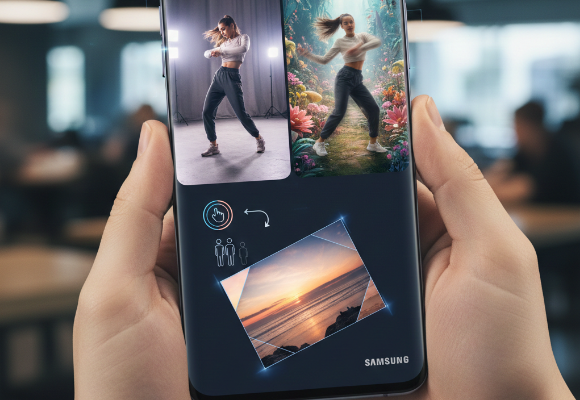
Generative Edit: This goes beyond simple object removal. You can tap a person in a photo, move them to the left, resize them, and the AI will fill in the blank space where they used to be. You can even straighten a crooked photo, and the AI will generate the missing edges so you don't have to crop in.

Instant Slow-Mo: You can tap and hold on any standard video in your gallery, and the AI will generate intermediate frames to turn it into a smooth slow-motion video, even if you didn't shoot it in slow-mo.

AI in Gaming

For years, "AI" in gaming simply meant the code that told an enemy soldier to duck when you fired a gun. Today, that definition has expanded to encompass the entire pipeline of how games are made, played, and rendered.

The Visual Revolution: Doing More With Less

Deep Learning Super Sampling (DLSS) & FidelityFX Super Resolution (FSR): These technologies (from NVIDIA and AMD respectively) render a game at a lower resolution (e.g., 1080p) to save system resources, and then use AI to "hallucinate" the missing pixels to output a crisp 4K image.

Frame Generation: Newer GPUs don't just upscale resolution; they generate entire frames from scratch. By looking at Frame A and Frame B, the AI predicts what the movement in between looks like and inserts a "fake" Frame A.5. This can double your framerate instantly.

Ray Reconstruction: AI is now being used to clean up "noise" in Ray Tracing (realistic lighting), making lighting effects sharper and less taxing on your hardware.

The Visual Revolution: Doing More With Less
The Rise of the NPU (Neural Processing Unit)

The Rise of the NPU (Neural Processing Unit)

What it is: A dedicated processor designed specifically to handle AI tasks efficiently, without bogging down your main processor or graphics card.

Why it matters for gaming: Currently, most heavy AI lifting (like DLSS) happens on the GPU. As games start using AI for complex physics, voice recognition, or advanced NPC behavior, offloading these tasks to an NPU ensures your GPU remains 100% focused on pushing graphics.

"Alive" Worlds: Generative AI and NPCs

Dynamic Conversations: Instead of selecting from a dialogue tree, players can type or speak to characters via microphone. An LLM (Large Language Model) running locally on the PC processes the input and generates a character-appropriate response in real-time.

Procedural Narratives: AI Directors can now tweak the pacing, enemy spawns, and even story beats on the fly based on how well you are playing or your emotional state (detected via voice or playstyle).

Modding: The modding community has been the fastest adopter. There are already mods for games like Skyrim and Cyberpunk 2077 that plug into AI models to give random street vendors infinite unique dialogue and distinct personalities.

Alive Worlds: Generative AI and NPCs
AI-Assisted Accessibility & Controls

AI-Assisted Accessibility & Controls

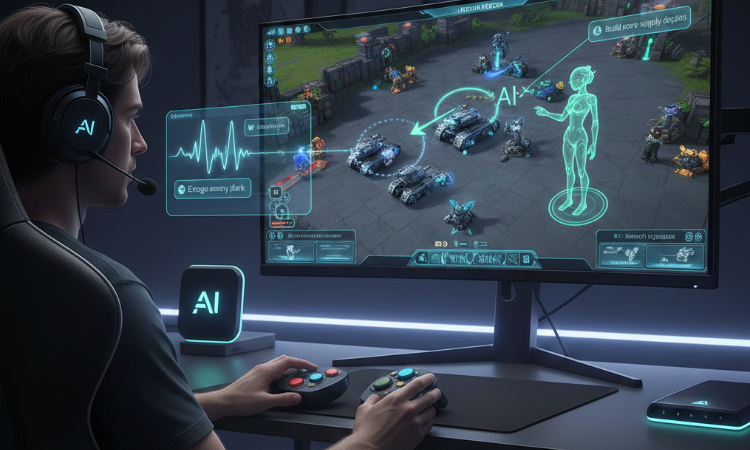
Real-Time Coaching: "Copilot" style AI overlays can analyze your gameplay in real-time (e.g., in League of Legends or StarCraft) and offer strategy tips or remind you to upgrade units.

Voice-to-Action: specialised AI models can translate complex natural language voice commands into game inputs, allowing players with limited mobility to play complex RPGs or strategy games using only their voice.

The Future: "Local" vs. "Cloud" AI

Cloud AI: Powerful, but requires an internet connection and can have latency (lag). Good for massive MMO worlds.

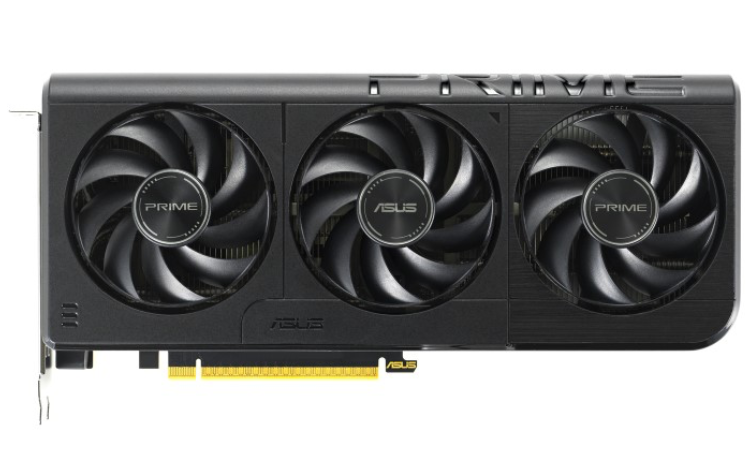
Local AI: Runs entirely on your PC's hardware. This is the "Holy Grail" for desktop users because it is private, works offline, and has zero latency. This is why having a powerful GPU with high VRAM (Video RAM) and an NPU is becoming critical for future-proofing a gaming rig.

The Future: Local vs Cloud AI
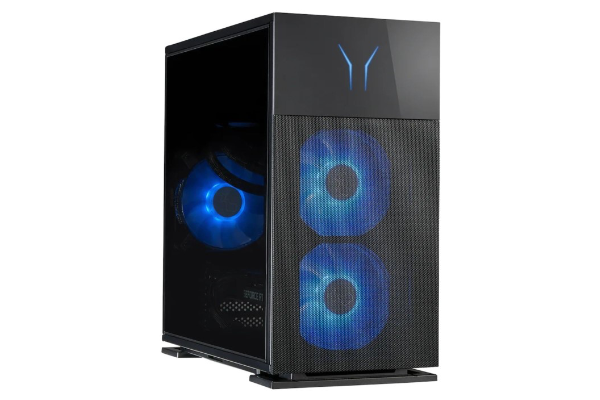
AI Powered Desktop Pcs

AI-Powered Desktop Pcs

Unleash Intelligent Performance. Don't just play the game—change how it runs. AI-Powered Gaming Desktops utilise advanced machine learning to optimise performance in real-time. With AI-driven upscaling (like DLSS and FSR) and frame generation, you get higher fidelity visuals at maximum frame rates.

Shop now »

Recently viewed


Back to top