Appliances Direct
Laptops Direct
Drones Direct
Better Bathrooms
Furniture 123
Dehumidifiers
Outdoor Living
Aircon
Buying for Business?

Get sales advice from our team 7 days a week

0871 244 0934

Computer Monitor Cables

Our computer monitor cables include HDMI, DisplayPort and USB-C cables, plus adapters for VGA, DVI and other connections. Choose from different cable lengths to suit anything from a tidy desk setup to a screen placed further away. Whether you're connecting a PC, laptop or extra display, you can find a practical cable for work, gaming and everyday use. Get your monitor connected without making things complicated.
Sort by

Refine your results

Items per page

1 - 18 of 18 products
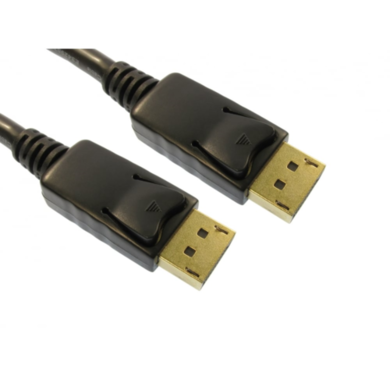
  • Interface: DisplayPort
  • Usage Type: DisplayPort
  • Length: 2M
  • Quantity: 1
£8.97
View product
  • Interface: DisplayPort / HDMI
  • Usage Type: DisplayPort to HDMI
  • Length: 2M
  • Quantity: 1
£9.97
View product
  • Interface: HDMI
  • Length: 2M
  • Quantity: 1
£20.97
View product
  • Interface: DisplayPort
  • Usage Type: Display Cables
  • Length: 1M
  • Quantity: 1
£15.97
View product
  • Length: 10M
  • Quantity: 1
£16.97
View product
  • Length: 0.5M
  • Quantity: 1
£5.97
View product
  • Interface: HDMI / DVI
  • Usage Type: HDMI to DVI-D
  • Length: 2M
£2.97
View product
  • Interface: HDMI / VGA
  • Length: 1.8M
  • Quantity: 1
£5.97
View product
  • Interface: HDMI
  • Length: 10M
  • Quantity: 1
£26.97
View product
  • Length: 7M
  • Quantity: 1
£16.97
View product
  • Length: 15M
  • Quantity: 1
£18.97
View product
  • Interface: USB-C
  • Usage Type: USB-C to DP
  • Length: 2M
  • Quantity: 1
£45.97
View product
  • Length: 5M
  • Quantity: 1
£5.97
View product
  • Length: 15cm
  • Quantity: 1
£18.97
View product
  • Interface: HDMI / VGA
  • Usage Type: HDMI to VGA
  • Length: 1M
  • Quantity: 1
£9.97
View product
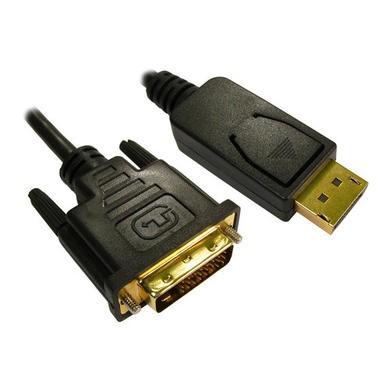
  • Display port male (20 pin) to DVI male
  • DVI-D output
  • Passive adapter cable
  • Support conversion from displayport signal to DVI
  • Support DisplayPort connector 20 pin
£26.97
View product
  • Interface: HDMI
  • Usage Type: Display Cables
  • Length: 10M
  • Quantity: 1
£11.97
View product
  • Usage Type: DisplayPort to VGA
  • Length: 0.15M
  • Quantity: 1
£29.97
View product

Sort by

Items per page

1 - 18 of 18 products

Get the right connection with computer monitor cables

Start by checking the ports on your monitor and the device you're connecting. HDMI and DisplayPort computer monitor cables are common on modern PCs and screens. Meanwhile, USB-C can also carry video when the device supports DisplayPort Alt Mode.

Older equipment may use VGA or DVI, so an adapter can help bridge the gap. The range includes straight cables and adapter options, making it easier to connect new and older kit without replacing a screen that still does the job. HDMI, DisplayPort and USB-C are among the most common connections found on modern monitors.

Match the cable to your screen and device

Not all monitor cables support the same resolution or refresh rate. The result depends on the ports, cable standard and devices at both ends.

For example, HDMI and DisplayPort can both work well for high-resolution screens, but one connection may support a higher refresh rate on a certain monitor or graphics card. Check the specifications of both devices before you buy. If both connections support the same resolution and refresh rate, picture performance should be much the same.

Keep your setup simple and tidy

Think about cable length before choosing pc monitor cables. A cable that's too short can pull at the ports, while a very long one can leave extra wire behind your desk. Measure the route from your PC or laptop to the screen and allow a little room for movement.

For USB-C setups, check that the cable supports video rather than charging alone. A full-featured USB-C connection can carry DisplayPort video, data and power where compatible devices support these features.

Frequently Asked Questions

Check the ports on both devices first. If they both have HDMI, an HDMI cable is often the simplest choice. DisplayPort is also common on desktop PCs and gaming monitors. If the connections don't match, you may need an adapter or a cable with different connectors at each end.
Neither is always better. What matters is the version supported by your monitor and computer. Choose the connection that supports the resolution and refresh rate you want. For many standard office displays, either can work well. Gaming monitors with higher refresh rates may have different limits on each port.
You need a cable and port combination that supports the screen's resolution at that refresh rate. Don't choose by the connector shape alone. Check the HDMI or DisplayPort version listed for your monitor and graphics card, then choose a cable made for that standard. This is a common issue when connecting 1440p screens at higher refresh rates.
Not by itself. For a digital connection such as HDMI or DisplayPort, the key point is whether the cable supports the resolution, refresh rate and features you need. Spending more doesn't automatically give you a sharper picture. A suitable cable that meets the required standard should do the job.
Measure from the video port on your PC or laptop to the monitor, following the path the cable will actually take. Add a little slack so there isn't strain on either connector. For a normal desk, a shorter cable can help keep things neat, while longer cables are useful for wall-mounted screens or PCs kept away from the desk.
It depends on your setup. You may need an adapter if the ports don't match, a longer display cable, or a monitor arm to free up desk space. You can browse our monitor accessories for cables, adapters, mounts and other useful additions.

Recently viewed


Back to top