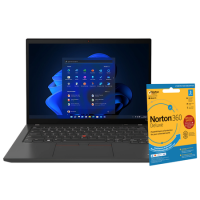


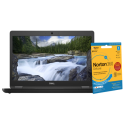

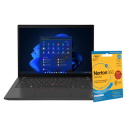



Very good condition - may display light cosmetic marks.


Save money
Enjoy significant savings without compromising on quality.

Reduce waste
Reduce electronic waste and lower your carbon footprint.

Extensively tested
Every refurbished device is rigorously tested and repaired by certified technicians.
BSI Kitemark Certified
This device meets the BSI Kitemark™ certification standards, guaranteeing its quality and safety.

Warranty included
This device is protected with a warranty covering both parts and labour.
Performance-Driven Productivity
Powered by a 10th Gen Intel® Core™ i5 processor, the T14 delivers responsive multitasking and smooth performance for demanding workloads.
Multitask with Confidence
16GB DDR4 RAM ensures seamless switching between apps, browser tabs, and virtual meetings—no lag, no compromise.
Fast & Secure Storage
256GB SSD offers rapid boot times, quick file access, and enhanced data security for professionals on the move.
Compact Display, Big Impact
14" Full HD anti-glare screen balances portability with visual clarity—ideal for presentations, spreadsheets, and remote collaboration.
Business-Grade Security
Comes preloaded with Windows 11 Pro, featuring BitLocker encryption, remote desktop access, and enterprise-level management tools.
Travel-Ready Durability
MIL-STD-810G certified chassis resists spills, shocks, and extreme temperatures—perfect for fieldwork and frequent flyers.
Connectivity Without Compromise
Includes USB-C, HDMI, Ethernet, and Wi-Fi 6 for fast, flexible connections to peripherals, networks, and cloud services.
Precision Keyboard Experience
Legendary ThinkPad keyboard with TrackPoint navigation and spill-resistant design—built for comfort and control.
What's In The Box?
- Laptop
- Power Adaptor
When setting up your new unit you will need to activate your Microsoft License Key. Follow the simple step by step guide to find out how to do so, it is really quick and easy to do!
How to activate your Microsoft License Key »