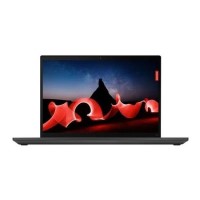





Excellent cosmetic condition - looks like new and saves you money.


Save money
Enjoy significant savings without compromising on quality.

Reduce waste
Reduce electronic waste and lower your carbon footprint.

Extensively tested
Every refurbished device is rigorously tested and repaired by certified technicians.
BSI Kitemark Certified
This device meets the BSI Kitemark™ certification standards, guaranteeing its quality and safety.

Warranty included
This device is protected with a warranty covering both parts and labour.
Intel Core i7 11th Gen Processor
Delivers high-performance speed and smooth multitasking for demanding business applications and intensive workloads.
16GB High-Speed RAM
Ensures seamless performance when running multiple applications simultaneously, browser tabs, and heavy background tasks.
256GB Solid State Drive (SSD)
Provides ultra-fast boot times, quick application launches, and reliable file storage.
Windows 11 Pro Pre-installed
Equips your device with advanced security features, enterprise management tools, and modern productivity capabilities out of the box.
Not all business
Not only is the ThinkPad T14 Gen 2 (14" Intel) laptop everything you need for work—it’s everything you want for in-home fun. Get top-of-the-line picture quality with up to a 14" Dolby Vision UHD panel for dazzling video and graphics. Combined with Dolby Audio™ Speaker System for enhanced sound, streaming movies or listening to music has never sounded better.
Smarter means tougher
ThinkPad T14 Gen 2 (14″ Intel) laptops are tested against 12 military-grade requirements and more than 200 quality checks to ensure they run in extreme conditions. From the Arctic wilderness to desert dust storms, from zero-gravity to spills and drops, you can trust these laptops to handle whatever life throws your way.
For your eyes only
Enjoy the safety of ThinkShield security solutions, a combination of hardware and software that work together to keep your data safe from hackers or peering eyes.
What's in the Box?
- Laptop
- Power adaptor
When setting up your new unit you will need to activate your Microsoft License Key. Follow the simple step by step guide to find out how to do so, it is really quick and easy to do!
How to activate your Microsoft License Key »