

















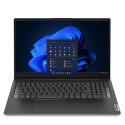
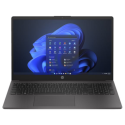


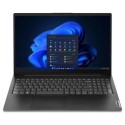



Excellent cosmetic condition - looks like new and saves you money.


Save money
Enjoy significant savings without compromising on quality.

Reduce waste
Reduce electronic waste and lower your carbon footprint.

Extensively tested
Every refurbished device is rigorously tested and repaired by certified technicians.
BSI Kitemark Certified
This device meets the BSI Kitemark™ certification standards, guaranteeing its quality and safety.

Warranty included
This device is protected with a warranty covering both parts and labour.
Performance & Power
Intel Core i5 11th Gen Processor – Delivers fast, responsive performance for multitasking and professional workloads.
16GB DDR4 RAM – Ensures smooth handling of demanding applications, large datasets, and multiple browser tabs.
256GB SSD Storage – Provides quick boot times, fast file access, and reliable storage efficiency.
Professional-Grade Design
Precision Series Build – Engineered for reliability, durability, and certified performance in professional environments.
Lightweight & Portable – Slim design makes it easy to carry for mobile professionals without sacrificing power.
Premium Keyboard & Touchpad – Comfortable typing experience with precision input for productivity on the go.
Software & Security
Windows 11 Pro – Enhanced productivity tools, advanced security features, and seamless integration with enterprise environments.
Trusted Platform Module (TPM) – Hardware-based security for data protection and encryption.
Dell Optimizer AI – Intelligent performance tuning that adapts to your work style.
Connectivity & Expansion
Wi-Fi 6 Support – Faster, more reliable wireless connectivity for remote work and collaboration.
Visuals & Collaboration
Integrated HD Webcam – Clear video conferencing with noise-reducing microphones.
What's in the Box?
- Laptop
- Power adaptor
When setting up your new unit you will need to activate your Microsoft License Key. Follow the simple step by step guide to find out how to do so, it is really quick and easy to do!
How to activate your Microsoft License Key »