

















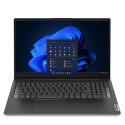
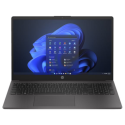

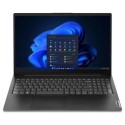



Very good condition - may display light cosmetic marks.


Save money
Enjoy significant savings without compromising on quality.

Reduce waste
Reduce electronic waste and lower your carbon footprint.

Extensively tested
Every refurbished device is rigorously tested and repaired by certified technicians.
BSI Kitemark Certified
This device meets the BSI Kitemark™ certification standards, guaranteeing its quality and safety.

Warranty included
This device is protected with a warranty covering both parts and labour.
Designed for engineers, analysts, content creators, and power users, the Dell Latitude15.6" laptop delivers reliability and computing power in a portable chassis. Configured with a 12th Gen Intel Core i5 processor, 16GB of DDR RAM, and a fast 512GB SSD, this machine easily handles multi-tasking, data analysis, and professional productivity applications under Windows 11 Pro.
Next-Gen Processing Performance (12th Gen Intel Core i5)
Combines Performance-cores (P-cores) for heavy processing tasks with Efficient-cores (E-cores) for background applications, striking an optimal balance between power and battery performance. Engineered thermal management maintains consistent processor clock speeds under continuous heavy workloads.
16GB RAM for Multitasking
Prevents performance bottlenecks, allowing instant switching between memory-heavy enterprise apps, databases, and collaboration software like Zoom and Microsoft Teams.
Fast 512GB SSD
Provides ultra-fast system boot times, rapid file transfer rates, and plenty of secure local storage for high-resolution media, project files, and system backups.
Display Built for Productivity - 15.6" Full HD Screen Clear
1920 x 1080 resolution provides sharp text and accurate visual output for spreadsheets, code, and multimedia.
ComfortView Plus
Built-in, always-on hardware low-blue-light technology reduces strain on your eyes without degrading color accuracy or tinting the screen yellow.
Narrow Bezel Design
Maximizes display surface area within a compact, sleek chassis footprint, giving it a modern, edge-to-edge look.
Enterprise-Ready Operating System - Windows 11 Pro
Includes enterprise-grade security and management capabilities, such as BitLocker full-disk encryption, Windows Information Protection, Remote Desktop access, and Hyper-V virtualization.
Hardware Security Suite
Equipped with a discrete Trusted Platform Module (TPM 2.0) chip to secure passwords and encryption keys, alongside a physical web camera privacy shutter for guaranteed physical privacy.
Dell Optimizer: AI-Driven Performance
ExpressResponse
Learns your usage habits and prioritizes CPU power to launch your most frequently used business applications faster.
Intelligent Audio
Filters out ambient noise from both sides of the call and cancels background echo, ensuring clear audio during remote conferences.
ExpressConnect
Automatically connects to the strongest Wi-Fi access point in the office and directs bandwidth to critical conference applications to prevent dropped video streams.
What's In The Box?
- Laptop
- Power Adaptor
When setting up your new unit you will need to activate your Microsoft License Key. Follow the simple step by step guide to find out how to do so, it is really quick and easy to do!
How to activate your Microsoft License Key »