

















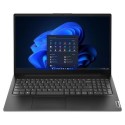

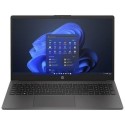



Very good condition - may display light cosmetic marks.


Save money
Enjoy significant savings without compromising on quality.

Reduce waste
Reduce electronic waste and lower your carbon footprint.

Extensively tested
Every refurbished device is rigorously tested and repaired by certified technicians.
BSI Kitemark Certified
This device meets the BSI Kitemark™ certification standards, guaranteeing its quality and safety.

Warranty included
This device is protected with a warranty covering both parts and labour.
10th Gen Intel Core i7 Processor – High-Performance Computing
Power through demanding workloads with the Dell 5510, driven by a 10th Generation Intel Core i7 processor. Built for responsive multitasking, media editing, and running resource-intensive applications, it delivers reliable, high-speed computing designed for demanding professional workflows.
16GB DDR4 RAM – Fluid, Reliable Multitasking
Keep your workflow moving without performance bottlenecks. With 16GB of high-speed DDR4 memory, the Dell 5510 effortlessly handles multiple applications, heavy web browsing, and data-intensive tasks simultaneously to maximize daily productivity.
256GB SSD – Ultra-Fast Boot Times & Rapid Access
Enjoy fast startup times and instant file access. The built-in solid-state drive (SSD) ensures the operating system and key business software launch in seconds, offering a responsive computing experience for your daily digital workspace.
Windows 11 Pro – Enterprise-Grade Features & Security
Pre-installed with Windows 11 Pro, this laptop delivers a modern, intuitive interface equipped with advanced management tools and enterprise-grade security. Protect sensitive data and navigate seamlessly with software optimized for business environments.
15.6" Full HD Display – Crisp Visual Clarity
Work comfortably on the 15.6-inch Full HD (1920x1080) display. Featuring wide viewing angles, sharp detail, and an anti-glare finish, it reduces eye strain and provides a clear view of spreadsheets, code, and presentations in any lighting environment.
Full-Sized Keyboard with Dedicated Numeric Keypad
Designed for speed and accuracy during heavy data entry, accounting, and spreadsheet tasks. The spacious, spill-resistant keyboard includes a full 10-key numeric keypad and optional backlighting for working in low-light environments.
Military-Grade Durability & Sustainable Design
Built to withstand daily wear and tear, the Latitude 5510 is tested against MIL-STD 810G military standards for shock, drops, dust, and temperature extremes. Its chassis is constructed using post-consumer recycled plastics and reclaimed carbon fiber.
What's In The Box?
- Laptop
- Power Adaptor
When setting up your new unit you will need to activate your Microsoft License Key. Follow the simple step by step guide to find out how to do so, it is really quick and easy to do!
How to activate your Microsoft License Key »