

















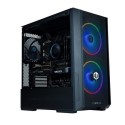



Very good condition - may display light cosmetic marks


Save money
Enjoy significant savings without compromising on quality.

Reduce waste
Reduce electronic waste and lower your carbon footprint.

Extensively Tested
Every refurbished device is rigorously tested and repaired by certified technicians.

Warranty included
This device is protected with a warranty covering both parts and labour.
Wanna get into gaming? This PCSpecialist PC is a great place to start. With a GTX 1650 graphics card, it can play games like Fortnite in Full HD at steady framerates. Plus, the AMD Ryzen 3 processor delivers a solid performance and multitasking. So you can seamlessly switch between playing games and browsing the web for tips and tricks.
Good to know
- The 512 GB M.2 SSD will load your games in a flash
- Multitasking is easy with 8 GB of Corsair Vengeance RAM
- RGB lighting is built into the case, so you can show off your battle colours straight away
- The tempered glass window gives you a good view of your components
- Say goodbye to lag when playing online thanks to WiFi 6
- FrostFlow cooling keeps the CPU nice and cool
Powerful AMD Ryzen 3 4100 Processor
The PC Specialist Tornado R3 boasts an AMD Ryzen 3 4100 processor, delivering powerful performance for gaming and multitasking. With four cores and eight threads, this processor ensures smooth gameplay and efficient handling of demanding tasks. Whether you're gaming, streaming, or working on creative projects, the Ryzen 3 4100 provides the speed and responsiveness you need.
Dedicated GTX 1650 Graphics Card
Equipped with an NVIDIA GeForce GTX 1650 graphics card, this gaming desktop offers excellent visual performance for your favorite games. Enjoy smooth frame rates and stunning graphics as you dive into immersive gaming experiences. The GTX 1650 also supports hardware-accelerated ray tracing, bringing lifelike lighting and effects to supported games.
Fast and Spacious Storage
Featuring a lightning-fast 512GB solid-state drive (SSD), the PC Specialist Tornado R3 ensures rapid boot times and quick access to your games and applications. Say goodbye to long loading screens and hello to seamless gaming sessions. With ample storage space, you can store your game library, media files, and more without compromise.
Efficient 8GB DDR4 RAM
With 8GB of DDR4 RAM, this gaming desktop provides smooth multitasking performance and responsiveness. Switch between applications seamlessly, run multiple programs simultaneously, and experience lag-free gaming sessions. The DDR4 RAM ensures efficient data handling, allowing you to focus on the task at hand without slowdowns.
Windows 11 Operating System
Experience the latest in PC gaming and productivity with Windows 11 pre-installed on the PC Specialist Tornado R3. Designed for modern computing, Windows 11 brings a fresh and intuitive user interface, enhanced gaming features, and improved performance optimizations. Enjoy seamless integration with Xbox Game Pass for PC and access a vast library of games at your fingertips.


