


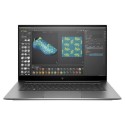


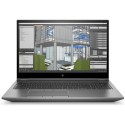


Excellent cosmetic condition - looks like new and saves you money.


Save money
Enjoy significant savings without compromising on quality.

Reduce waste
Reduce electronic waste and lower your carbon footprint.

Extensively tested
Every refurbished device is rigorously tested and repaired by certified technicians.
BSI Kitemark Certified
This device meets the BSI Kitemark™ certification standards, guaranteeing its quality and safety.

Warranty included
This device is protected with a warranty covering both parts and labour.
Powerful Performance
Equipped with Intel Core i9 12th Gen processor, delivering exceptional speed and multitasking for demanding workloads like CAD, 3D rendering, and data analysis.
Professional-Grade Graphics
Features NVIDIA RTX A2000 GPU, enabling smooth visualization, real-time ray tracing, and AI-accelerated workflows for engineers, designers, and creators.
Massive Memory & Storage
Comes with 32GB DDR4 RAM for seamless multitasking and a 1TB SSD for lightning-fast boot times, file access, and ample storage for large projects.
Immersive Display
A 15.6-inch Full HD screen provides crisp visuals and wide viewing angles, perfect for design accuracy and multimedia editing.
Enterprise-Ready OS
Runs on Windows 11 Pro, offering advanced security, productivity tools, and compatibility with enterprise applications.
Durability & Reliability
Built to ThinkPad standards with MIL-SPEC testing, ensuring rugged durability for professionals on the move.
Mobile Workstation Design
Balances performance and portability, making it ideal for professionals who need workstation-class power in a laptop form factor.
What's in the Box?
- Laptop
- Power adaptor
When setting up your new unit you will need to activate your Microsoft License Key. Follow the simple step by step guide to find out how to do so, it is really quick and easy to do!
How to activate your Microsoft License Key »