

















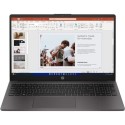



With the Vivobook 15, you can be productive all day and then relax with a good film in the evening. It's powered by a 4000 series AMD Ryzen 5 processor with Radeon graphics - that's perfect for work in demanding programs, extensive browsing, and multitasking. The Full HD NanoEdge display lets you focus on the picture and forget about the bezels. And it's anti-glare coated, so you won't be distracted by reflections.
Good to know
- 256 GB SSD storage makes for speedy startups and smooth performance
- There are plenty of ports to connect accessories and a monitor
Work Flat Out
The VivoBook 15 weighs only 1.7kg, making it ideal for busy days on the move or evenings relaxing on the sofa. The 180° lay-flat hinge is also ideal for sharing - just lay it flat and everyone can see.
Stunning Visuals
The 15.6 inch Full HD (1020x1080) NanoEdge display brings websites, movies and more to life. The VivoBook 15 has wide viewing angles, and is TÜV Rheinland-certified for low blue-light levels, reducing the risk of eye strain during marathon viewing sessions. DTS Audio Processing makes small speakers sound bigger and better, and puts you in the middle of the action. It also delivers incredible sound to your headphones.
You Got The Power
Work fast thanks to the combination of an AMD Ryzen 5 4600H Mobile Processor and 8GB RAM - perfect for all your everyday computing jobs, from catching up with emails and social media to YouTube and putting together Word and PowerPoint documents. A 256GB Solid State Drive ensures a super-fast boot-up every time you lift the lid, as well as plenty of storage space for files and entertainment.
Log In With A Touch
Accessing Vivobook 15 has never been easier or more secure! With the built-in fingerprint sensor in the touchpad and Windows Hello, there’s no need to type in your password every time - all you need is a single touch!
Cool Under Pressure
Exceptional heat dissipation comes via two upgraded heat pipes and an 87-blade IceBlades fan and impeller made of a liquid-crystal polymer.



