Get sales advice from our team 7 days a week
0871 244 0934

1 billion+ Samsung devices secured
70 million+ devices managed
30,000+ businesses supported globally
Keep your business connected, secure and running smoothly with Samsung Knox. It helps you manage apps, settings, updates and device controls across your Samsung device estate.

Manual device setup
Inconsistent apps
Limited lost-device control
Harder update management
Poor estate visibility

Faster device enrolment
Consistent device policies
Remote device support
Controlled device updates
Clearer estate visibility
Knox helps bring Samsung business devices together, giving your teams a clearer way to manage phones, tablets, rugged devices and wider mobile estates.
Samsung Knox provides cloud-based tools that help businesses enrol, configure, secure and manage Samsung devices at scale.

Set up Samsung devices at scale and reduce the need for manual configuration.

Apply apps, settings, restrictions and business policies across enrolled devices.

Help protect company data with controls around access, usage and device security, complex passwords, biometric locks, and real-time threat detection across the fleet.

Schedule and manage updates across supported Samsung Android devices.

View and control device screens remotely to provide instant troubleshooting for field staff.

Help protect business data with remote lock and device control options for supported use cases.
Samsung has renamed its main Knox licences. Knox Suite is now the Knox Suite Enterprise Plan and Knox Manage is now the Knox Suite Essential Plan. Some services are designed mainly for Samsung Android devices, while the Knox Suite Essential Plan also supports wider platforms including Windows, macOS, iOS, iPadOS and ChromeOS.
We can help you understand which Knox services are right for your devices, users and business requirements.
| Service | Core function | Best for |
|---|---|---|
| Knox Suite Enterprise Plan (was Knox Suite) | The complete bundle – device management, firmware control, configuration and advanced security in a single licence. | Businesses that want every Knox capability under one licence. |
| Knox Suite Essential Plan (was Knox Manage) | Cloud-based MDM for cross-platform device control. | Mixed / large enterprise needing standard MDM. |
| Knox Mobile Enrolment | Bulk enrolment of Samsung devices into your MDM. | Tablet and smartphone rollouts at scale. |
| Knox Configure | Device setup, branding, restrictions and configuration. | Logistics, retail and specialised business devices. |
| Knox E-FOTA | Controlled firmware and OS update management. | Multiple Samsung Android devices that need managed updates. |
| Knox Platform for Enterprise | Advanced Samsung Android security and management features. | Security-sensitive Samsung mobile deployments. |
| Knox Guard | Remote locking for finance and subscription-based hardware. | B2B leasing and device-as-a-service providers. |
| Knox Remote Support | Remote troubleshooting for Samsung Android devices. | Frontline workers needing technical help in the field. |

Specialised technology solutions tailored for the UK's core business sectors.

Empowering the next generation with reliable classroom technology

Rugged devices and mobile workstations designed for the field

Streamlined procurement for growing business fleets

White-label shipping and wholesale pricing for providers

Framework compliant solutions for local authorities

Integrated EPOS and customer-facing technology solutions
We can help you source Samsung devices, plan your Knox setup and support your rollout from procurement through to refresh.
Source Samsung phones, tablets and rugged devices with business pricing and availability support
Plan larger rollouts with account support, product availability checks and repeat order guidance
Discuss the Knox Suite Essential and Enterprise Plans, enrolment, configuration and management options for your device estate
Make devices easier to identify, allocate and track across users, sites and teams
Support trade-in, buy-back, ITAD, recycling and secure data wiping when devices are replaced
While standard Android Enterprise offers basic controls, the Knox Suite Essential Plan (formerly Knox Manage) adds a deeper hardware-level layer specifically for Samsung devices, offering 1,000+ more granular settings than generic MDMs.
"Our B2B team can help you understand where standard Android management is enough, where Knox adds value, and which setup is right for your devices, users and locations."
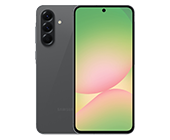
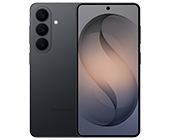
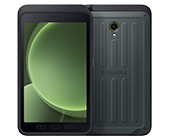
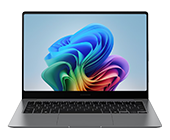
Most modern Samsung Galaxy smartphones, tablets, and Galaxy Book laptops support Knox. This includes the S-series, A-series, and the ruggedized 'Active' and 'XCover' ranges.
Using Knox Mobile Enrolment (KME), we register your devices' IMEI numbers to your account before they ship. When your users turn them on, the devices automatically connect to your MDM and install your required profiles, no manual setup required.
Yes. The Knox Suite Essential Plan (formerly Knox Manage) allows you to whitelist/blacklist apps, disable the camera, enforce Wi-Fi settings, and even lock the device into a single-app kiosk mode for specific tasks.
With Knox E-FOTA, you can test OS updates against your business apps before pushing them to the fleet, ensuring that a new Android version doesn't break your critical software.
Absolutely. Knox supports multi-user profiles and shared device modes, making it ideal for frontline workers in shifts where different people use the same hardware.
As a Samsung Knox partner, we handle the registration of your hardware, assist with initial console setup, provide technical support, and offer competitive B2B pricing on both the hardware and the Knox licences.
Or call us free on: 01484 481 360