

















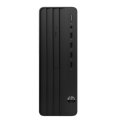



Very good condition - may display light cosmetic marks


Save money
Enjoy significant savings without compromising on quality.

Reduce waste
Reduce electronic waste and lower your carbon footprint.

Extensively Tested
Every refurbished device is rigorously tested and repaired by certified technicians.

Warranty included
This device is protected with a warranty covering both parts and labour.
Immerse Yourself in Gaming Excellence
Unleash the full potential of your gaming experience with the formidable pairing of an RTX 3060 graphics card and a state-of-the-art 12th gen Intel Core i5 processor. Whether you're navigating through fast-paced FPS games or embarking on epic journeys in open-world RPGs, this powerhouse setup ensures you conquer every virtual realm with ease and finesse. The magic of ray tracing brings unparalleled realism to lighting, reflections, and shadows, captivating your senses and deepening your immersion in the gaming universe.
Rapid-Response Storage Solutions
Accelerate your gaming sessions with a lightning-fast 1 TB M.2 SSD, where games load up in the blink of an eye. The ample storage capacity ensures you have the space you need for your entire gaming library, offering not just speed but also convenience.
Multitasking Mastery
Seize the advantage of multitasking prowess with 16 GB of Corsair Vengeance RAM. Whether you're gaming, streaming, or browsing simultaneously, this setup allows you to seamlessly switch between tasks without compromising performance. It's the key to staying ahead in the gaming arena.
Showcase Your Gaming Arsenal
Let your high-quality components take the spotlight through the sleek tempered glass window. This elegant design not only provides a glimpse into the heart of your gaming rig but also adds a touch of sophistication to your gaming setup.
Illuminate Your Battle Station
Make a statement with built-in RGB lighting that allows you to express your unique gaming style from the moment you power up. Your gaming rig isn't just a tool; it's a reflection of your identity in the gaming community.
Seamless Online Connectivity
Bid farewell to online lag and connectivity issues, thanks to the efficiency of WiFi 6. Enjoy uninterrupted gaming thrills as you engage with players from around the world, forging alliances and conquering opponents without missing a beat.
Cooling Precision for Intense Battles
Stay cool under pressure with the FrostFlow cooling system. Engineered for optimal CPU performance, this cooling solution ensures your gaming rig maintains its composure even during the most intense battles.
Elevate Your Gaming Landscape
Your gaming setup isn't just a collection of components; it's an embodiment of your passion for gaming excellence. Level up with a setup that transcends boundaries, where power meets precision, and every gaming moment becomes an epic triumph. Are you ready to dominate the gaming landscape?


