











Appliances Direct
Laptops Direct
Drones Direct
Better Bathrooms
Furniture 123
Dehumidifiers
Outdoor Living
Aircon
Buying for Business?

Get sales advice from our team 7 days a week

0871 244 0934

Refurbished MSI Creator Z16 Core i7-11800H 16GB 512GB RTX 3060 16 Inch Windows 11 Gaming Laptop

SKU: A1/9S7-157121-203 Quickfind Code: 1782670

Made for creators

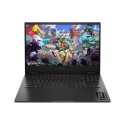
Whether you're a photographer, graphic designer or animator, express yourself with the MSI Creator Z16 16" Gaming Laptop. Featuring a 11th generation i7 processor, RTX 3060 graphics card and Quad HD+ display, you can let your creative juices run wild.

Unstoppable performance

Don't let lag interrupt you when you're in the zone. Run heavy creative software without being slowed down thanks to the 11th generation Intel® Core™ i7 processor. With eight-cores of power, easily multitask between tweaking video on Premiere, exporting files and responding to emails. And the NVIDIA GeForce RTX 3060 GPU is great for streaming the latest games or 3D rendering.

See your creations in Quad HD

With the stunning Quad HD+ 16:10 display, you can ensure your designs are pixel-perfect, while 100% DCI-P3 colour gamut provides totally accurate colour. And the anti-glare coating means you can work anywhere without distraction.

Functional and aesthetic

Work in style. The MSI Creator Z16 is sleek, thin and lightweight. The RGB-backlit keyboard by SteelSeries lets you create your own colourful lighting to match your content.

Some devices may come with Windows 11 pre installed, but some may need manually updating to the latest version of Windows from Windows 10, 10s or 11s. It's easy and free to do in just 3 easy steps. Find out how by clicking here »

How To Easily Update Your Windows Laptop

Some devices may come with Windows 11 pre installed, but some may neeed manually updating to the latest version of Windows from Windows 10, 10s or 11s. It's easy and free to do in just 3 easy steps.

Windows 11 the most productive and secure version of windows yet with easy Navigation, easy organisation and faster performance. Windows 11 has all the power and security of past Windows verisions but with a redesigned and refrshed look. With new tools, sounds and apps that all come together to bring a new refreshing Windows experience.

1. Settings > On your device Select the start button, then click on settings.

2. Updates & Security > Click on Updates & Security.

3. Windows Update > Select check for updates. If updates are available, click instal to get the latest version of Windows.


You may also like

Recently viewed


Back to top
