












Appliances Direct
Laptops Direct
Drones Direct
Better Bathrooms
Furniture 123
Dehumidifiers
Outdoor Living
Aircon
Buying for Business?

Get sales advice from our team 7 days a week

0871 244 0934

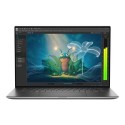
Refurbished Microsoft Surface Laptop 5 Intel Core i7 16GB RAM 512GB SSD 15 Inch Windows 11 Pro Touchscreen Laptop

SKU: A1/RIQ-00004 Quickfind Code: 1990003
Excellent Condition

Excellent cosmetic condition - looks like new and saves you money.

Cost Saving
Save money

Enjoy significant savings without compromising on quality.

Reduced Waste
Reduce waste

Reduce electronic waste and lower your carbon footprint.

Extensive Testing
Extensively Tested

Every refurbished device is rigorously tested and repaired by certified technicians.

Included Warranty
Warranty included

This device is protected with a warranty covering both parts and labour.

GRADE A1

Surface Laptop 5 CM /22 Win11 SC EngBrit UK/Ireland Only Hdwr Commercial Platinum.

Key Product Info

  • Superpowered for serious work
  • Deploy, manage, and stay secure anywhere

Product Features

  • Superpowered for serious work
    Effortless multitasking is possible with serious processing power and reliable battery life that keeps you going all day.
  • Deploy, manage, and stay secure anywhere
    Save time and money with streamlined deployment, modern device management, and built-in, cloud-powered security.

Some devices come with Windows 11 Pro pre-installed, but some may need manually updating to Windows 11 Pro. It's easy and free to do in just 3 simples steps. Find out how by clicking here »

How to upgrade to Windows 11 Pro

Windows 11 Pro the most productive and secure version of windows yet with easy navigation, easy organisation and faster performance. Windows 11 has all the power and security of windows 10 with a redesigned and refrshed look. With new tools, sounds and apps that all come together to bring a new refreshing Windows experience.

1. Settings > On your device running Windows 10 ProSelect the start button, then click on settings.

2. Updates & Security > Click on Updates & Security.

3. Windows Update > Select check for updates to see if your PC can run windows 11 Pro, or if the upgrade is ready for your PC


You may also like

Recently viewed


Back to top

