

















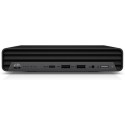



Very good condition - may display light cosmetic marks.


Save money
Enjoy significant savings without compromising on quality.

Reduce waste
Reduce electronic waste and lower your carbon footprint.

Extensively tested
Every refurbished device is rigorously tested and repaired by certified technicians.
BSI Kitemark Certified
This device meets the BSI Kitemark™ certification standards, guaranteeing its quality and safety.

Warranty included
This device is protected with a warranty covering both parts and labour.
Lead with power and performance
High-performance users will enjoy highly responsive performance with 9th Gen Intel Core i5 processor, 16GB RAM and 256GB SSD.
Our biggest PC in our smallest package
Don’t sacrifice size or power. Get the best of both worlds with the high-performance HP EliteDesk 800 Desktop Mini. With a full line of mounting, expansion, and security accessories this PC fits almost anywhere for an enterprise-class solution.
The ultra-powerful enterprise-class Mini is now more nimble than ever
Experience performance, security, and manageability tailored for the modern workplace with the compact HP EliteDesk 800 G5 Desktop Mini. It's built to suit your business and budget.
Meet the mighty Mini
Tackle demanding challenges with a 9th generation Intel processor and high-capacity storage.
Build a universe around your Mini
Expand your experience and simplify securing your device. Save space by attaching your Mini behind an HP EliteDisplay. Streamline cabling with USB-C.
Enhanced data and device security
Get a highly secure PC reinforced by the full HP security suite.


