













Appliances Direct
Laptops Direct
Drones Direct
Better Bathrooms
Furniture 123
Dehumidifiers
Outdoor Living
Aircon
Buying for Business?

Get sales advice from our team 7 days a week

0871 244 0934

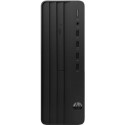
Refurbished Dell 3090 Intel Core i5 10th gen 16GB RAM 256GB SSD Windows 11 Pro SFF Desktop

SKU: T3/3090i516GB256GBW11PSFF Quickfind Code: 2039683

This product is no longer available.

Still need help?

For help finding something similar, just give us a call on 0871 244 0934*

* Calls cost 13p per min plus your network access charge

Good Condition

Good condition - Some scratches or dents

Cost Saving
Save money

Enjoy significant savings without compromising on quality.

Reduced Waste
Reduce waste

Reduce electronic waste and lower your carbon footprint.

Extensive Testing
Extensively Tested

Every refurbished device is rigorously tested and repaired by certified technicians.

Included Warranty
Warranty included

This device is protected with a warranty covering both parts and labour.

Dell Technologies Unified Workspace is the gold standard approach to helping you achieve a modernized endpoint environment and deliver an optimized end user experience. Dell's software and services solutions integrate with current endpoint environments and provide enhanced efficiencies, actionable insights and an optimized experience across security and management.

Windows 11 Pro - designed for hybrid work
The most productive and secure version of Windows yet — but simple for IT.

Essential, compact desktop
Essential commercial Small form factor desktop that delivers best-in-class security and performance with 10th Gen Intel® processors.

Flexible mounting
With multiple mounting options, the 3090 micro fits exactly where you need it to.

Work confidently
Built secure with TPM 2.0, standard security lock slot, padlock loop, intrusion switch, and SED hard drive.

Stay Cool
Utilizing the cooling design of the front bezel, the 3090 maximizes air intake to keep your system temperature down.

Optimized chassis design
The 3090 now has simplified configurations to be more cost-effective and provide an easier purchasing decision.


Some devices may come with Windows 11 pre installed, but some may need manually updating to the latest version of Windows from Windows 10, 10S or 11S. It's easy and free to do in just 3 easy steps. Find out how by clicking here »

How To Easily Update Your Windows Laptop

Some devices may come with Windows 11 pre installed, but some may neeed manually updating to the latest version of Windows from Windows 10, 10S or 11S. It's easy and free to do in just 3 easy steps.

Windows 11 the most productive and secure version of windows yet with easy Navigation, easy organisation and faster performance. Windows 11 has all the power and security of past Windows verisions but with a redesigned and refrshed look. With new tools, sounds and apps that all come together to bring a new refreshing Windows experience.

1. Settings > On your device Select the start button, then click on settings.

2. Updates & Security > Click on Updates & Security.

3. Windows Update > Select check for updates. If updates are available, click instal to get the latest version of Windows.


You may also like

Recently viewed


Back to top
