

















Stand out features
G-SYNC COMPATIBLE
G-SYNC Compatible support ensures smoother, tear-free gaming by syncing the monitor‘s refresh rate with the GPU. It reduces screen tearing, stuttering, and input lag for a more fluid experience, especially in fast-paced games. Additionally, it fully supports future hardware, allowing gamers to maximise the performance of cutting-edge GPUs. This ensures seamless compatibility and optimal visual quality, letting users take full advantage of new features like ray tracing and variable refresh rates.

3-YEAR OLED WARRANTY
MSI recognises the significance of providing extensive support, allowing our users to enjoy their gaming experience worry-free. We offer a 3-year warranty for OLED panels, exceeding standard coverage by including safeguards against the OLED burn-in issue.
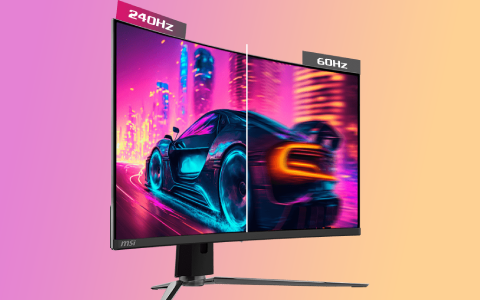
240HZ REFRESH RATE + 0.03MS RESPONSE TIME
The MPG 321CURX QD-OLED is equipped with a 240Hz refresh rate QD-OLED Panel that can reach a fast 0.03ms GtG response time. Which has the most benefit in fast-moving game genres such as first-person shooters, fighters, racing sims, real-time strategy, and sports. These types of games require very fast and precise movements. An ultra-high refresh rate and fast response time monitor will put you ahead of your competition.
PLAY IN BOUNDLESS COLOURS
Pre-calibrated in the factory, the QD Premium Colour series monitor guarantees an industry-leading colour fidelity: delta-E. The precise colour accuracy and the smooth colour transitions brought by a 10-bit RGB panel make you feel like you are right in the scene.
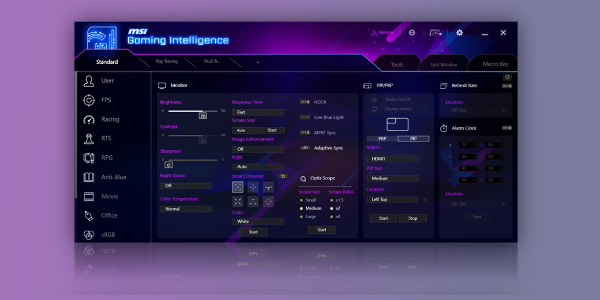
GAMING INTELLIGENCE APP ADVANTAGES
With the Gaming Intelligence APP is very easy to set up your gaming monitor. You don't need to use the buttons on the monitor and go through all the menus; just use your Keyboard and Mouse to configure your monitor. The app even gives you hotkey options so you can switch settings between different games with ease.
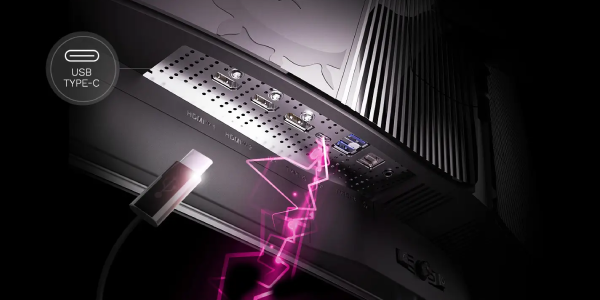
TYPE-C DISPLAY
With a USB Type-C cable connection, allowing you to power your devices (up to 98W) and effortlessly display by DisplayPort Alt mode.




