











Appliances Direct
Laptops Direct
Drones Direct
Better Bathrooms
Furniture 123
Dehumidifiers
Outdoor Living
Aircon
Buying for Business?

Get sales advice from our team 7 days a week

0871 244 0934

How to Choose The Right Monitor Size for Your Desk Space

Many home workers find that their desk space quickly disappears once a screen, keyboard, and mouse are in place. This "desk overwhelm" usually happens when a monitor is too large for the surface it sits on. Choosing the right size is not just about getting the biggest screen possible; it is about finding a balance that keeps your workspace functional and your eyes comfortable.

The Big Debate: 24-inch vs 27-inch monitors

For most UK home offices, the choice usually sits between a 24-inch and a 27-inch screen.

24-inch monitors:

24-inch monitors:

These are the "gold standard" for smaller desks. If you have a desk that is tucked into a bedroom or a narrow hallway, a 24-inch screen gives you enough space for daily tasks without taking up every inch of your desk. They are also the best pick if you want a dual-monitor setup but have limited room.

27-inch monitors:

27-inch monitors:

If your desk is a bit deeper, a 27-inch screen is a great upgrade. It offers more "screen real estate," which is perfect if you need to look at two documents side-by-side or work on large spreadsheets. However, if you sit too close to a 27-inch screen, you might find yourself moving your head back and forth too much, which can cause neck strain.

2. Remove Dust:

Saving space with Ultrawide monitors

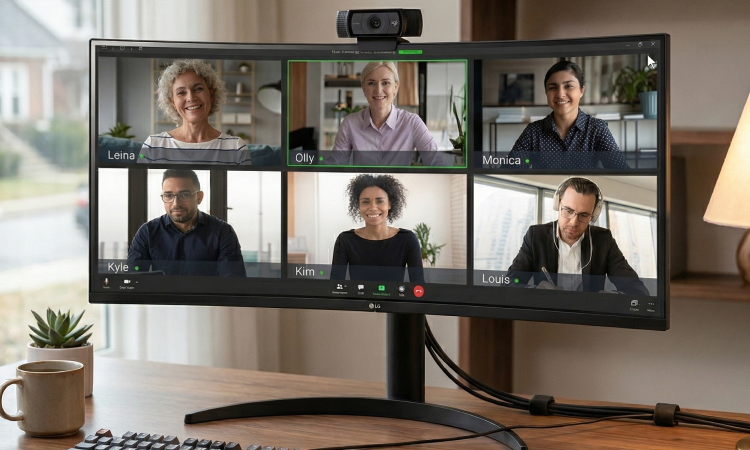
If you currently use two screens and find the cables are getting messy, an Ultrawide monitor could be the answer. These screens are much wider than a standard monitor but stay at a sensible height. A 34-inch Ultrawide is often around the same height as a 27-inch screen. Switching to one wide screen helps tidy up your desk and gives you a seamless view for multitasking. It is a great way to get more work done without needing a massive, bulky setup.

How To Measure your Desk For a New Monitor

Before you click "buy," grab a tape measure.

1. Power Down First:

1. Check the width:

Make sure the monitor (including the stand) will not overhang the edges of your desk, especially if your desk is in a corner.

2. Use Microfibre:

2. Check the depth:

This is where most people go wrong. If your desk is shallow (less than 60cm deep), a large monitor will feel overpowering.

3. Use the Right Fluid:

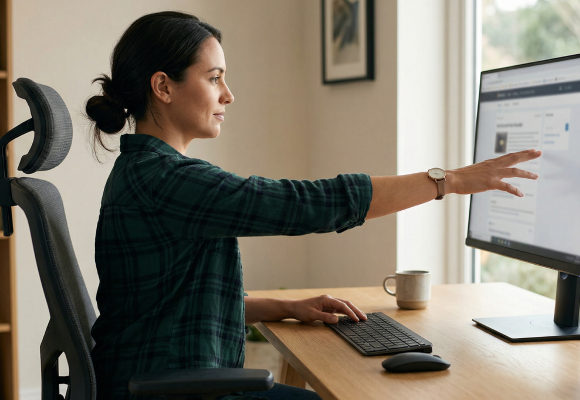
3. The Arm's Length Rule:

A good guide for monitor viewing distance is to sit at your desk and reach out. Your fingertips should just about touch the screen. For 24-inch screens, 50cm to 80cm is perfect. For 27-inch screens or larger, you want to be at the further end of that range.

Making the final choice

Think about what you do most. If you mainly check emails and browse the web, a 24-inch screen is plenty. If you are a coder, an accountant, or someone who needs multiple windows open at once, look at a 27-inch or an Ultrawide. Getting the size right the first time means less clutter, a better-looking office, and no need to deal with the hassle of returning a screen that is just too big for the room.

Monitors

Monitors

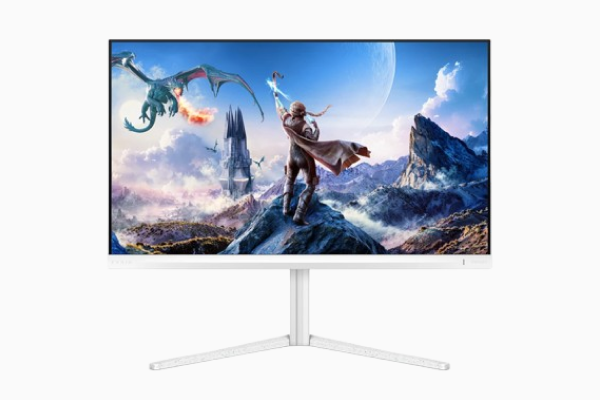
Upgrade your visual experience with Laptops Direct. We offer an extensive range of monitors tailored for every need—from high-performance 4K and OLED gaming displays with 360Hz refresh rates to professional ultrawide setups for business productivity. Use the filters to find the right monitor size for you!

Shop now »

Recently viewed


Back to top