








Get sales advice from our team 7 days a week
0871 244 0934The biggest difference between the Samsung Galaxy Z Fold8 and Galaxy Z Flip8 for business is not simply screen size.
It is how your employees work.
For someone regularly reviewing documents, moving between business apps or trying to do more without opening a laptop, the Fold8's larger screen could provide a meaningful advantage.
For someone constantly moving between customers, meetings or locations, the Flip8's smaller folded format may be more useful.
And for an IT team buying tens or hundreds of devices, neither decision should be made on form factor alone.
Security updates, device management, application compatibility, deployment, durability, support and eventual replacement all need to form part of the buying decision.
So which Samsung foldable makes the most sense for your workforce?

Samsung specifications and support commitments current at the time of writing.
The important point is that neither device needs to become your default company phone.
A role-based device strategy can make considerably more sense than giving everyone the same premium device regardless of how they use it.
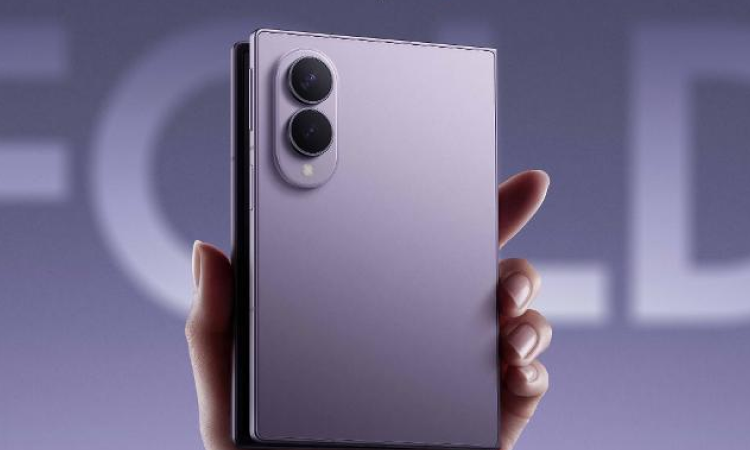
The Fold8's main business advantage is straightforward: it gives employees significantly more working space than a conventional smartphone while still folding down into a pocketable device.
Samsung's 7.6-inch main display uses a 4:3 format designed to give documents and content more room. Multi-Window also allows supported apps to run alongside one another.
That matters when a phone is being used for more than calls, email and messaging.
What could that look like in practice?
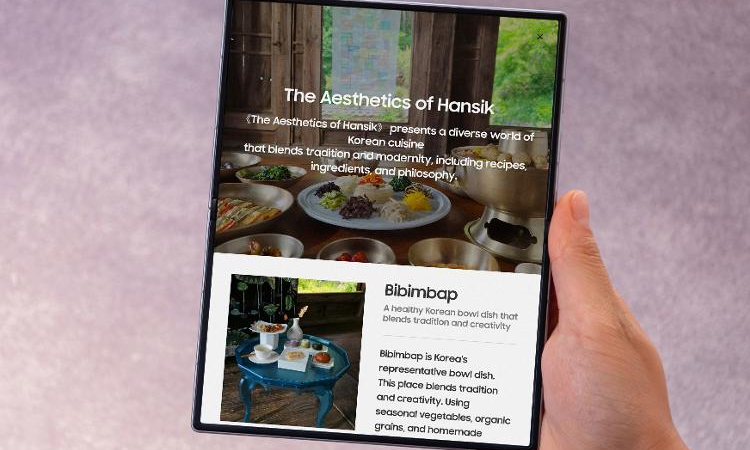
Samsung also supports DeX on the Fold8. Connect the device to a compatible display, keyboard and mouse and it can provide a desktop-style interface with resizable windows and multiple applications.
That does not automatically mean a Fold8 should replace every employee's laptop.
But for people who already spend significant amounts of time trying to complete laptop-style tasks from their phone, it gives IT and procurement teams a more interesting question to ask:
Could a larger-screen mobile device reduce how often this employee needs to carry or open another device? Roles where the Fold8 could make sense.
Potential use cases include:
The business case becomes weaker where an employee primarily needs calling, messaging, authentication and occasional email.
In those circumstances, giving them a premium foldable simply because it is the newest device is unlikely to be the best use of the IT budget.
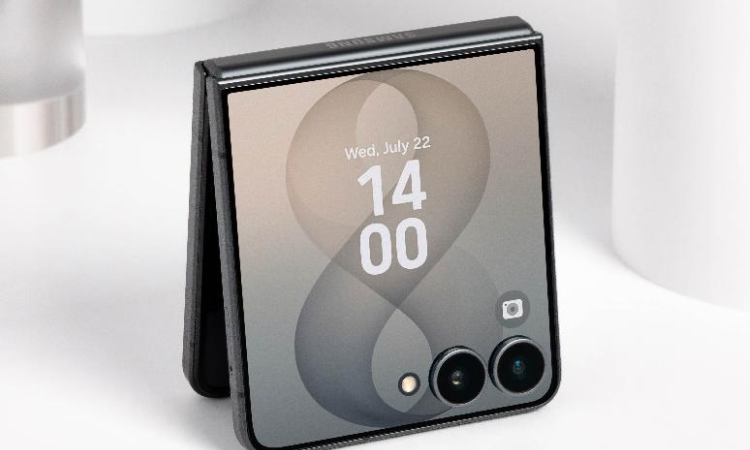
The Flip8 solves a different problem.
It weighs 180g and folds into a considerably smaller format, while its 4.1-inch FlexWindow gives employees access to information and supported functionality without having to open the full 6.9-inch display.
That makes the proposition less about replacing a tablet and more about making a capable business phone easier to carry and access throughout the day.
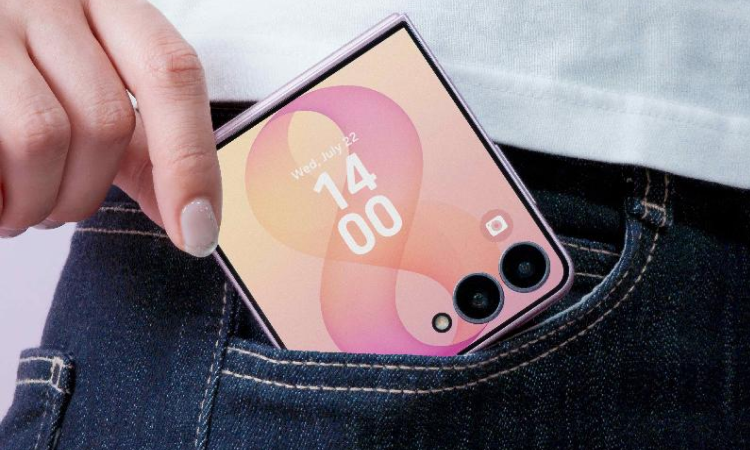
Where could that matter?
Think about an employee who moves constantly between different areas of a workplace.
The Flip8 also supports Samsung DeX, so an employee can move from the smaller mobile format to a larger external display when they arrive somewhere equipped for desktop working.
That combination — small while travelling, larger workspace when connected — may be more valuable to some roles than carrying the Fold8's larger screen all day.
One of the easiest mistakes in device procurement is assigning technology based purely on seniority.
“Executives get the expensive phone” is not a device strategy.
Instead, look at what people actually do.
And consider a standard Galaxy or a dedicated rugged device where neither foldable form factor solves a meaningful business problem.
That last point is important.
The right answer for a workforce may be a mixed estate rather than Fold8 versus Flip8 across the board.
Foldable design should also be assessed against the physical environment employees work in.
Samsung rates both the Fold8 and Flip8 IP48. Samsung describes this as providing protection against everyday water exposure, but IP48 is not the same as the higher dust and water protection found on some conventional or rugged business devices.
For conventional office, hospitality, retail, property or professional environments, that may be perfectly appropriate.
For construction sites, industrial locations, very dusty environments or jobs where devices are frequently dropped or exposed to harsh conditions, IT teams should carry out a more specific risk assessment. A Samsung rugged device may be a better fit for some of those employees even if the Fold8 or Flip8 offers more desirable productivity features.
In other words: buy for the environment as well as the workflow.
For IT buyers, it is useful to distinguish between the security built into a Samsung Galaxy device and the tools used to manage an entire fleet. Samsung Knox provides both.
At device level, Samsung uses Knox security technologies to protect Galaxy hardware and data. Knox Suite then adds the management layer that can help IT teams enrol, configure, monitor and maintain multiple devices.
Depending on the chosen plan, the Knox portfolio includes tools such as:
Supports bulk enrolment of devices into enterprise management.
Allows organisations to remotely manage device settings, policies and applications.
Gives IT teams more control over firmware versions and when updates are deployed.
Provides information about device health, usage, battery condition and other fleet data.
This becomes increasingly important as an estate grows. Configuring five phones manually may be manageable. Configuring 200 phones individually across multiple locations is a very different operational task.
The National Cyber Security Centre recommends that organisations think about mobile device management as part of how corporate smartphones, tablets and other endpoints are deployed and secured.
MDM can support:
For organisation-owned devices, its guidance recommends choosing an MDM solution that supports zero-touch enrolment. It also recommends using device-management policies to help enforce automatic software updates and monitor whether endpoints remain current.
This is guidance rather than a requirement to use Samsung Knox specifically. The correct approach will depend on your organisation, existing technology estate and risk profile.
A company phone may contain or provide access to customer details, employee information, emails, CRM systems, cloud storage and other personal data. That makes device security relevant to data protection too.
UK GDPR requires organisations to put appropriate technical and organisational security measures in place based on their circumstances and risk.
ICO guidance identifies controls including asset management, secure device configuration, supported software, patching, end-user device management and encryption. The ICO also recommends enabling encryption on smartphones and tablets that store personal information.
That does not mean purchasing a Fold8 or Flip8 — or using Knox — automatically makes an organisation compliant.
Security and data protection need to be considered as part of the organisation's wider policies, configuration, identity management, access controls and processes. Organisations should assess requirements applicable to their own data, users and circumstances.
Consumer technology procurement often centres around what is newest. Business procurement needs to think further ahead.
If you are standardising hundreds of employees on the same model, questions such as these start to matter:
Samsung's Enterprise Edition proposition is designed around those issues.
Samsung currently states that Galaxy Enterprise Edition provides a defined two-year product lifecycle, a three-year warranty, Knox Suite entitlement and up to seven years of security maintenance support on supported devices. Samsung also lists a Galaxy Z Fold8 Enterprise Edition model in the UK.
Exact Enterprise Edition availability, licensing and support should be checked for the specific device and quantity being purchased.
But the broader lesson is useful even where Enterprise Edition is not selected: IT teams should consider device availability and support life before standardising a workforce on any handset.
Samsung states that the Fold8 and Flip8 are eligible for seven years of security and maintenance releases from first global launch, alongside seven generations of operating-system updates.
That does not mean every organisation should automatically keep the devices for seven years.
Battery condition, physical wear, business requirements, performance, repair economics and employee needs can all result in an earlier replacement.
But knowing the manufacturer support window helps IT teams avoid building long-term deployment plans around technology that will become unsupported too quickly.
The NCSC also advises organisations to maintain supported devices and software and to keep operating systems, applications and firmware updated.
Support life should therefore form part of the total cost of ownership calculation, not just the original handset price.
Before placing a large order, IT and procurement teams should work through a few practical questions.
Avoid defaulting an entire organisation to one device. Map Fold8 and Flip8 against actual workflows and issue them where their form factor solves a real problem.
Test the applications employees rely on most (Microsoft 365, Google Workspace, CRM, field-service software, etc.). Also test features such as Multi-Window, FlexWindow and DeX.
Decide what needs to happen before a phone reaches an employee (MDM enrolment, security policies, Wi-Fi, asset tagging). The NCSC recommends considering MDM during procurement.
For general office users, rapid automatic updates may be appropriate. Where a business relies on specialist applications, IT may want a staged testing process using tools like Samsung Knox E-FOTA.
Consider protective cases, warranty arrangements, spare-device stock, and downtime for employees in critical roles. Recovery time matters as much as repair cost.
Look beyond purchase price. The real cost includes MDM licences, setup, accessories, support, and internal IT time. Consider outright purchase versus leasing.
Decide what happens to devices before they reach end of life (redeployment, trade-in, buy-back, IT asset disposition, secure data wiping). The strategy shouldn't stop at delivery.
The Fold8 and Flip8 do not necessarily need to compete for one winner.
A larger organisation could feasibly have:
The objective should be standardisation where it reduces complexity, with variation where a role genuinely requires it.
Too many device types can increase support, accessories, testing and replacement complexity. But forcing everyone onto one expensive specification can create unnecessary cost.
The right balance sits somewhere between the two.
For a business rollout, purchasing the phones is only one part of the project.
Laptops Direct B2B can support organisations across the wider device lifecycle, including:
Laptops Direct already supports mobile device management including Samsung Knox, alongside wider deployment and lifecycle services for organisations managing technology across teams and locations.
For organisations with multiple offices, sites or remote employees, devices can also form part of a coordinated rollout rather than being purchased and configured individually by each location.
Choose the Galaxy Z Fold8 where employees will genuinely use the additional screen space for documents, applications and multitasking.
Choose the Galaxy Z Flip8 where portability, quick access and a device that stays out of the way are more important.
But for IT and procurement teams, the more important decision happens one level above the handset. Ask:
Answer those questions first, and deciding between Fold8 and Flip8 becomes much easier.
The right handset is only one part of a successful business mobile strategy.
Discuss your Samsung requirements with our team today.
Yes. The Fold8 is particularly relevant to employees who regularly work with documents, multiple applications, presentations or detailed information away from a desk. Its 7.6-inch main display supports multi-window working, and Samsung DeX can provide a desktop-style experience when connected to a compatible external display. For employees mainly using their phone for calls, email and messaging, however, a less expensive conventional smartphone may be more appropriate.
It can be. The Flip8's strongest business use case is mobility. Its 180g design folds into a compact format and its 4.1-inch FlexWindow can provide quick access to information without fully opening the phone. Samsung DeX is also supported for external-display working.
Yes. Samsung lists DeX as a business feature of the Galaxy Z Flip8, allowing it to connect to a compatible display and be used with a desktop-style interface, keyboard and mouse.
Galaxy Enterprise Edition combines supported Samsung devices with additional business-focused services. Samsung's UK proposition includes a three-year warranty, defined product lifecycle, Knox Suite entitlement and extended security-maintenance support. Exact inclusions and eligible models should be checked when purchasing.
Samsung Knox provides device-management capabilities for supported Galaxy devices. Depending on licensing, Knox Suite can support bulk enrolment, remote policies and configuration, firmware control and fleet monitoring. Organisations should determine how Knox fits with their existing identity, MDM/UEM and security environment before deployment.
It depends on the environment. Both devices have an IP48 rating, but organisations operating in particularly dusty, impact-prone or harsh environments should assess whether a dedicated rugged handset would be more suitable. For construction managers or property professionals primarily moving between offices, vehicles, meetings and relatively controlled site environments, the Fold8 or Flip8 may still have a valid use case.




