





Excellent cosmetic condition - looks like new and saves you money.


Save money
Enjoy significant savings without compromising on quality.

Reduce waste
Reduce electronic waste and lower your carbon footprint.

Extensively Tested
Every refurbished device is rigorously tested and repaired by certified technicians.

Warranty included
This device is protected with a warranty covering both parts and labour.
GRADE A1
More Power, More Fun
Powerful performance for all gaming situations - that's what the 13th generation Intel® Core™ i7 processor offers. Its advanced hybrid architecture automatically channels the powerful performance of the CPU cores into the right channels. This means that maximum performance is always available for the latest gaming hits, even when streaming live or performing other multitasking tasks at the same time. No matter what gaming fans have in mind - with the 13th generation Intel® Core™ i7, the fun is just beginning.
Windows 11 Makes it Easier to Create the Perfect Gaming Experience
Play the latest games with graphics that rival the real thing. Play with gamers on console. Play with the peripherals you love. Windows 11 Home lets you play the way you want.
More Graphics Power
The NVIDIA® RTX™ 4050 makes gaming even more fun. The graphics card delivers the necessary performance for smooth gameplay at high details and ensures the necessary reaction speed in multiplayer battles. The crowning glory, however, are the modern ray tracing lighting effects, which create a completely new gaming experience with realistic visuals. DLSS 3 with optical multi-frame creation also contributes to even better FPS. With this performance, passionate gaming fans will be able to play to their heart's content.
Full HD Display
The high-resolution Full HD display shows games in great detail and contrast with rich colours. The matte surface also reduces reflections. This gives gamers a tactical advantage, as they can simply see more than their opponents.
SSD for a Faster System
The built-in SSD with 512 GB memory works faster than conventional hard disks. The system starts immediately and loading times are drastically reduced.
Unlimited Gaming Fun
Wireless? No problem! The integrated Intel Wi-Fi 6E technology of this notebook ensures stable data rates and a fast and, above all, secure online connection, even with a wireless connection. So, you can stay in touch wherever you are and are always ready for a quick round of gaming.
Backlit Keyboard with Adjustable Colours
Perfect for gamers and all those who like it colourful, the backlighting bathes the keyboard of this notebook in one of 15 selectable colours. This guarantees the best atmosphere and a full overview even in the dark.
Shows What Matters
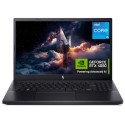
This MEDION ERAZER gaming notebook is powerful and a real eye-catcher. The extremely narrow bezel shows off the display to its best advantage and immerses gaming fans even deeper into the world of games. The full overview in hot battles is just as certain as the envious looks of the competition.