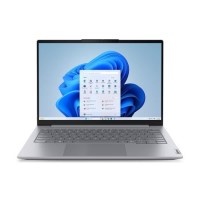


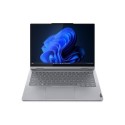



Excellent cosmetic condition - looks like new and saves you money.


Save money
Enjoy significant savings without compromising on quality.

Reduce waste
Reduce electronic waste and lower your carbon footprint.

Extensively Tested
Every refurbished device is rigorously tested and repaired by certified technicians.

Warranty included
This device is protected with a warranty covering both parts and labour.
Boost Your Everyday Performance With AI Efficiency
Built to exceed expectations, the 14” Lenovo ThinkBook 14 Gen 8 laptop, driven by Intel® Core™ Ultra 200 Series processors, delivers performance that evolves with you. Designed power users, its AI-driven computational strength streamlines tasks and optimize workflows for maximum productivity, so you stay ahead of the game — anywhere, anytime.
Discover the Ease of Portability
Effortlessly portable and flexible, this powerhouse boasts a slim, lightweight profile in a refined Artic Grey finish. Its ultra-thin bezels and ample screen real estate expand your display space, making it ideal for presentations or streaming, in any work setting.
Strengthen Your Digital Safeguards
Enjoy robust encryption with Trusted Platform Module firmware (fTPM) while the optional fingerprint reader integrated with the power button, offers secure access and instant bootup. Plus, the webcam privacy shutter with optional infrared (IR) camera provides added protection.
Achieve More With Your Personal Assistant
Manage your workflows efficiently with Lenovo AI Now*. Get instant access to smart features commanding your AI-enabled productivity partner. Enjoy smooth searches, effortless PC settings, and seamless task management, making work simpler and smarter.
*Available on select model configuration.
Technology that Keeps Up with You
The ThinkBook 14 Gen 8 laptop redefines excellence, bringing AI-driven productivity to the forefront. Enjoy peak performance with a dedicated AI-enabled neural processing unit (NPU) that boosts efficiency under heavy workloads for seamless computing. Moreover, smart AI features optimize energy usage to keep you powered and productive throughout the day.
Boost Productivity & Visual Brilliance in Every Task
Whether you're editing videos, creating content, or juggling multiple tasks, advanced Intel® Arc™ graphics elevate your workflow and performance altogether. Experience vibrant visuals that not only push your creativity but inspire even greater innovation.
Unplugged, Unstoppable
Enjoy unmatched power efficiency on the ThinkBook 14 Gen 8 laptop with AI-driven smart battery management, offering extended battery life to keep you unplugged longer. Rest assured that your productivity won’t suffer — no matter where your work takes you.
Rich Visuals, Rested Eyes
With dazzling display options, dive into awe-inspiring visuals on the 14” ThinkBook 14 Gen 8 laptop. Rich colours and sharp details create a captivating viewing experience while TÜV Eyesafe® certification helps prevent eye fatigue during prolonged work hours.
Connect More, Do More
Stay seamlessly linked in any work environment. With a versatile array of ports, including Thunderbolt™ 4, USB-C, and HDMI 2.1, this powerhouse provides uninterrupted connectivity with multiple peripherals and external devices. Enjoy smooth file transfers and lag-free screen sharing, making collaboration more effective and efficient.
Room for Everything, Power for Anything
The ThinkBook 14 Gen 8 laptop adapts to your growing demands and dynamic workloads with the availability of diverse ports. Equipped with generous storage and memory options, it empowers you to multitask like a pro to stay efficient and productive.
Crystal Clear Conversations, Every Time
Empower your team with effortless collaboration using AI-enabled features. Advanced noise-canceling technology ensures distraction-free meetings while Smart Connect ensures stable and smooth connectivity to keep your productivity at peak levels.
Ultimate Usability & Control
ThinkBook 14 Gen 8 laptop boasts an optimized keyboard with dedicated keys for instant access to personal AI assistant, ensuring quick navigation to essential tools. Plus, tactile markings enhance usability, offering greater control and inclusivity.
Built For The Real World
This powerhouse is built to handle whatever life throws your way. Its spill-resistant keyboard shields your device from accidental liquid spills, keeping it safe and functional. Enjoy consistent performance with added durability to stay focused on what really matters.
Battle-tested
We use the US Department of Defense MIL-STD-810H for a balance of reliability and durability in our ThinkBook devices. Meeting or exceeding 12 standards, 26 procedures, and 200+ quality checks ensure these devices run in extreme and harsh conditions like Arctic wilderness, desert dust storms, extreme temps, pressure, vibration, and more.
Credibility & Collaboration
Our goal is to provide smarter technology that builds a brighter, more sustainable future for our customers, communities, and the planet. That's why we pursue industry leading labels and certifications that demonstrate our commitment to sustainability in product design. Together, we can build a smarter future for all.