

















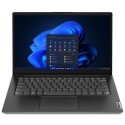


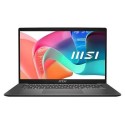
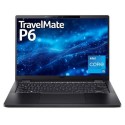


Excellent cosmetic condition - looks like new and saves you money.


Save money
Enjoy significant savings without compromising on quality.

Reduce waste
Reduce electronic waste and lower your carbon footprint.

Extensively Tested
Every refurbished device is rigorously tested and repaired by certified technicians.

Warranty included
This device is protected with a warranty covering both parts and labour.
Work from anywhere with our most intelligent and secure business laptops sustainably designed for productivity on the go.
Security out-of-the-box
New Windows 11 Pro devices integrate hardware and software for powerful, out-of-the-box protection.
Power through every workday in style
The new Latitude 14 3000 Series is thinner and lighter than ever before, and features the latest generation of Intel Core processors and Windows 7 Professional or Windows 8.1. Work from anywhere with the optional 4-cell battery and a host of connectivity options.
Essential features for mobile performance
Get up to 8GB of memory and 1TB of HDD or Hybrid storage options. Modern desktop performance is never far away with optional touch screen, plus USB 3.0 and 2.0 docking capability, RJ45, HDMI and VGA. Work seamlessly in low-lighting situations with optional backlit keyboard.
Admire the view
For a higher-quality visual experience, enjoy 14" display with HD or Full HD anti-glare, plus optional 2G discrete graphics and optional touchscreen displays clad with Corning Gorilla Glass NBT.
Enterprise-class support
Rest easy with premium support for all your hardware and software needs, including 24x7 direct access to expert technicians with optional Dell ProSupport.
Best-in-class security
Only Dell offers comprehensive encryption, advanced authentication and leading-edge malware prevention from a single source. Dell Data Protection | Encryption protects your data across all endpoints including external media, self-encrypting drives, and in public cloud storage such as Dropbox, Box and OneDrive. DDP | Security Tools offers advanced authentication options to help you keep unauthorized users out of your data. Dell takes a new approach to malware prevention by protecting your data and users from all untrusted content with DDP | Protected Workspace.
Best-in-class manageability
Dell builds management capabilities into Latitude portfolio to make the most of your hardware investment, and with the new Dell Client Comannd Suite, our free automation tools help simplify IT time spent on deploying, monitoring and updating systems. Dell also offers five generations of updates, and with Latitude’s single-door access, you can easily upgrade internal components.
Outstanding reliability so you can rest easy
More durable than its predecessor, and part of the most durable laptop family, the new Latitude 14 3000 Series features a durable, built-to-last chassis that has undergone highly accelerated life testing and is backed by enterprise-class support and services, including optional Dell ProSupport.



