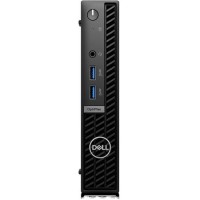


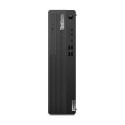



Excellent cosmetic condition - looks like new and saves you money.


Save money
Enjoy significant savings without compromising on quality.

Reduce waste
Reduce electronic waste and lower your carbon footprint.

Extensively tested
Every refurbished device is rigorously tested and repaired by certified technicians.
BSI Kitemark Certified
This device meets the BSI Kitemark™ certification standards, guaranteeing its quality and safety.

Warranty included
This device is protected with a warranty covering both parts and labour.
Elevate Your Computing Experience
The Intel i5 series processor isn't just a component; it's a promise of computing excellence. Whether you're engaged in resource-intensive tasks, creative endeavors, or immersive gaming sessions, expect this processor to deliver a level of performance that exceeds expectations. Its cutting-edge technology ensures that your PC keeps up with your demands, providing a fluid and responsive experience.
Windows 11 Pro - A Window to Tomorrow
Your PC experience takes a quantum leap with Windows 11 Pro. Embrace a redesigned interface that seamlessly blends aesthetics with functionality. Windows 11 introduces a host of innovative features, from a revamped Start menu to enhanced multitasking capabilities. Say goodbye to clutter and embrace a streamlined operating system that maximizes productivity and elevates your overall digital experience.
Effortless Multitasking
Experience the true potential of multitasking with upgraded DDR4 RAM. This essential component ensures that your PC effortlessly juggles multiple applications, allowing you to transition seamlessly between tasks. Whether you're running complex software, managing numerous browser tabs, or engaging in creative endeavors, the enhanced RAM stands as a testament to the PC's commitment to providing a smooth and responsive user experience.
Storage Solutions Tailored for You
A robust hard drive space is the cornerstone of an efficient and well-rounded computing experience. It's not just about storage; it's about ensuring that your files, applications, and media are readily accessible. With ample storage, you have the flexibility to curate your digital world without constraints, providing a foundation for a PC experience that meets your evolving needs.
When setting up your new unit you will need to activate your Microsoft License Key. Follow the simple step by step guide to find out how to do so, it is really quick and easy to do!
How to activate your Microsoft License Key »