











Appliances Direct
Laptops Direct
Drones Direct
Better Bathrooms
Furniture 123
Dehumidifiers
Outdoor Living
Aircon
Buying for Business?

Get sales advice from our team 7 days a week

0871 244 0934

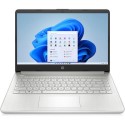
Refurbished Asus VivoBook F415 Core i3-1005G1 4GB 128GB 14 Inch Windows 11 Laptop

SKU: A3/F415JA-EK188TS Quickfind Code: 1801588

This product is no longer available.

Still need help?

For help finding something similar, just give us a call on 0871 244 0934*

* Calls cost 13p per min plus your network access charge

Everyday computing

The ASUS VivoBook F415 14" Laptop is great for your everyday use. Powered by a 10th generation Intel Core i3 processor, it's up your work and entertainment. Smoothly navigate spreadsheets, browse web or enjoy your Netflix shows. The display has narrow bezel, so you get more screen onto a small laptop.

With the SSD for storage you can expect instant start-up, quick loading times and fast data transfer.

Compact and well connected

The ASUS VivoBook F415 is small and lightweight. At just 1.8 kg, you'll barely feel its weight when you're out and about.

And it has all the ports to be flexible and practical. USB Type-C is great for super-fast charging and data transfer. You also get a bunch of standard USBs for your peripherals and an HDMI to connect your monitor. Plus, there's a microSD card reader, perfect for getting photos off your camera.



Some devices may come with Windows 11 pre installed, but some may need manually updating to the latest version of Windows from Windows 10, 10s or 11s. It's easy and free to do in just 3 easy steps. Find out how by clicking here »

How To Easily Update Your Windows Laptop

Some devices may come with Windows 11 pre installed, but some may neeed manually updating to the latest version of Windows from Windows 10, 10s or 11s. It's easy and free to do in just 3 easy steps.

Windows 11 the most productive and secure version of windows yet with easy Navigation, easy organisation and faster performance. Windows 11 has all the power and security of past Windows verisions but with a redesigned and refrshed look. With new tools, sounds and apps that all come together to bring a new refreshing Windows experience.

1. Settings > On your device Select the start button, then click on settings.

2. Updates & Security > Click on Updates & Security.

3. Windows Update > Select check for updates. If updates are available, click instal to get the latest version of Windows.


You may also like

Recently viewed


Back to top