








Get sales advice from our team 7 days a week
0871 244 0934Tech It From Us | Apple laptops
Trying to decide between the new MacBook Neo and the popular MacBook Air? Both are fantastic, lightweight laptops, but they cater to different needs and budgets. Whether you are a student looking or a professional, our guide breaks down the key differences to help you choose the right Apple laptop.
Choosing between the MacBook Neo and the MacBook Air comes down to how you plan to use your laptop. The Neo is Apple’s most affordable option, built with the A18 Pro chip. It is brilliant for daily tasks, web browsing, and taking notes. The MacBook Air steps up the performance with M-series chips, offering more memory options and larger screens for heavier multitasking and creative software.
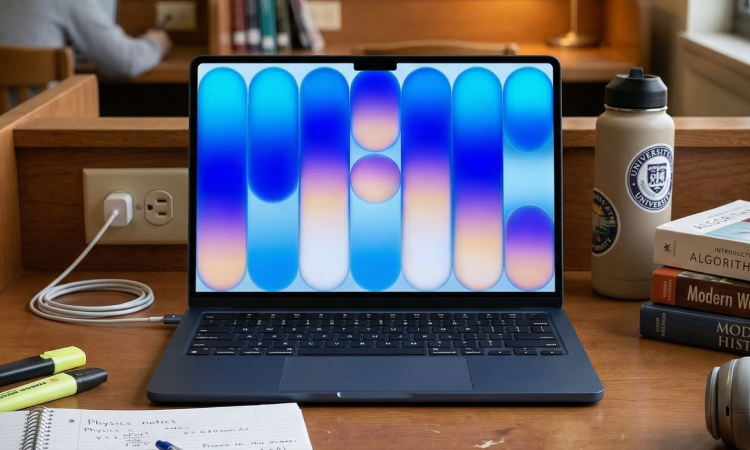
If you need a reliable, low-cost machine for school or everyday browsing, the MacBook Neo is an excellent fit.
Coming in fun colours like blush and citrus, it offers up to 16 hours of battery life and handles standard productivity apps without breaking a sweat.
It is incredibly light at 1.23kg, making it highly portable for moving between classes or coffee shops. For light users, this offers incredible value.
| Price | £599 | £699 | |
|---|---|---|---|
| Finish | Silver, Blush, Citrus, Indigo | Silver, Blush, Citrus, Indigo | |
| Chip | Apple A18 Pro chip | Apple A18 Pro chip | |
| Memory | 8 GB | 8 GB | |
| Storage | 256GB | 512GB | |
| Display | Liquid Retina display | Liquid Retina display | |
| Charging and Expansion | One USB 3 (USB-C) port, One USB 2 (USB-C) port,3.5mm headphone jack | One USB 3 (USB-C) port, One USB 2 (USB-C) port,3.5mm headphone jack | |
| Keyboard and Trackpad | Magic Keyboard | Magic Keyboard with Touch ID |
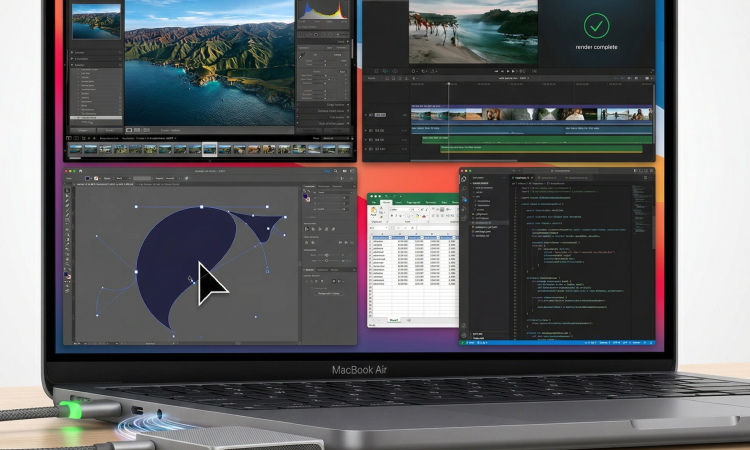
The MacBook Air remains the go-to choice if you regularly use demanding applications, edit high-resolution photos, or run multiple heavy pieces of software at once.
With its M-series processors and options for increased RAM and storage, it provides a noticeable jump in speed for complex tasks.
It also features a brighter, slightly larger screen and more versatile port options, making it ideal for professionals and creatives.
| Price | £1,099 | £1,299 | £1,499 |
|---|---|---|---|
| Finish | Sky Blue, Silver, Starlight, Midnight | Sky Blue, Silver, Starlight, Midnight | Sky Blue, Silver, Starlight, Midnight |
| Chip | Apple M5 chip | Apple M5 chip | Apple M5 chip |
| Memory | 16GB - Configurable to: 24GB or 32GB | 16GB - Configurable to: 24GB or 32GB | 24GB - Configurable to: 32GB |
| Storage | 512GB - Configurable to: 1TB, 2TB or 4TB | 1TB - Configurable to: 2TB or 4TB | 1TB - Configurable to: 2TB or 4TB |
| Display | Liquid Retina display | Liquid Retina display | Liquid Retina display |
| Charging and Expansion | MagSafe 3 charging port, Two Thunderbolt 4 (USB-C) ports ,3.5mm headphone jack | MagSafe 3 charging port, Two Thunderbolt 4 (USB-C) ports ,3.5mm headphone jack | MagSafe 3 charging port, Two Thunderbolt 4 (USB-C) ports ,3.5mm headphone jack |
| Keyboard and Trackpad | Backlit Magic Keyboard - Touch ID & Ambient light sensor | Backlit Magic Keyboard - Touch ID & Ambient light sensor | Backlit Magic Keyboard - Touch ID & Ambient light sensor |
| Price | £1,299 | £1,499 | £1,699 |
|---|---|---|---|
| Finish | Sky Blue, Silver, Starlight, Midnight | Sky Blue, Silver, Starlight, Midnight | Sky Blue, Silver, Starlight, Midnight |
| Chip | Apple M5 chip | Apple M5 chip | Apple M5 chip |
| Memory | 16GB - Configurable to: 24GB or 32GB | 16GB - Configurable to: 24GB or 32GB | 24GB - Configurable to: 32GB |
| Storage | 512GB - Configurable to: 1TB, 2TB or 4TB | 1TB - Configurable to: 2TB or 4TB | 1TB - Configurable to: 2TB or 4TB |
| Display | Liquid Retina display | Liquid Retina display | Liquid Retina display |
| Charging and Expansion | MagSafe 3 charging port, Two Thunderbolt 4 (USB-C) ports ,3.5mm headphone jack | MagSafe 3 charging port, Two Thunderbolt 4 (USB-C) ports ,3.5mm headphone jack | MagSafe 3 charging port, Two Thunderbolt 4 (USB-C) ports ,3.5mm headphone jack |
| Keyboard and Trackpad | Backlit Magic Keyboard - Touch ID & Ambient light sensor | Backlit Magic Keyboard - Touch ID & Ambient light sensor | Backlit Magic Keyboard - Touch ID & Ambient light sensor |
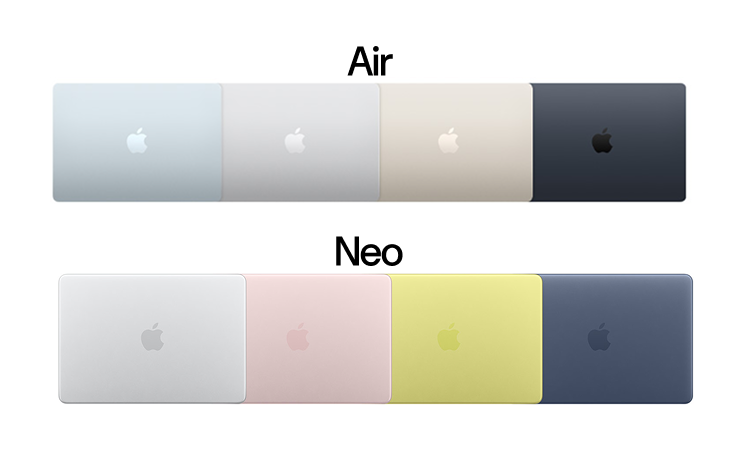
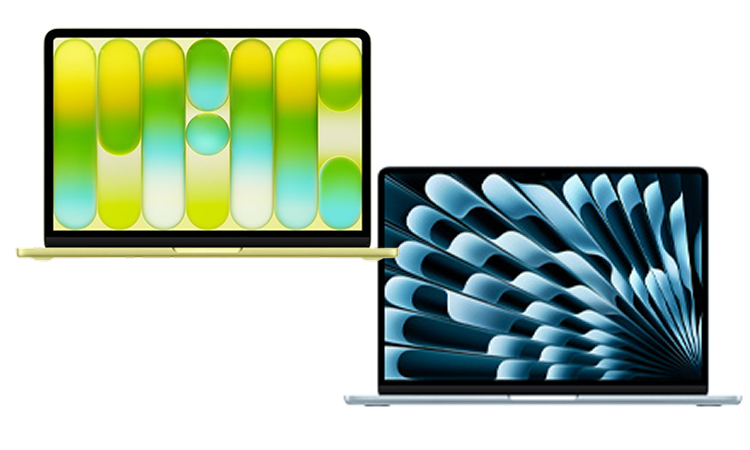
Both models boast premium aluminium bodies, but their designs differ slightly. The Neo features a 13-inch Liquid Retina display with standard brightness, while the Air gives you a choice of 13-inch or 15-inch sizes with advanced colour accuracy and a slightly sharper picture.
The Neo gives you vibrant colour choices, whereas the Air sticks to Apple's classic, professional finishes.
You can expect all-day battery from both devices, meaning you can confidently leave your charger at home.
The Neo charges via a standard 20W USB-C plug, which is highly convenient if you already carry a phone charger.
The Air supports faster charging speeds and includes MagSafe technology, freeing up your USB-C ports for other accessories.
Explore our full range of MacBook Air's or browse our full range of MacBook Neo's.
MacBook Neo: You are locked at 8GB of RAM with no upgrade options. Storage is limited to either 256GB or 512GB at the time of purchase.
MacBook Air: Starts at 16GB of RAM (configurable up to 32GB) and starts at 512GB of storage (configurable up to 4TB).
Only on the higher-end model. The base £599 Neo (256GB) does not include Touch ID. You have to upgrade to the £699 model (512GB) to get the fingerprint sensor. The MacBook Air includes Touch ID on all models as standard.
No MagSafe: The Neo charges only via USB-C.
USB Speeds: One port is fast (USB 3), but the other is a much slower USB 2.0 port.
No Thunderbolt: You cannot use high-end Thunderbolt docks or Apple’s Studio Display with the Neo.
Mechanical Trackpad: The Neo uses a traditional "diving board" multi-touch trackpad rather than the haptic Force Touch trackpad found on the Air.
No Keyboard Backlight: Unlike the Air, the Neo's keys do not light up in the dark.
The biggest difference is the processor and price.
MacBook Neo: Uses the A18 Pro chip (from the iPhone 16 Pro). It is designed for efficiency and light tasks like web browsing, streaming, and schoolwork
MacBook Air (M5): Uses the M5 chip, which is significantly more powerful for multitasking, video editing, and advanced AI workloads.



