








Get sales advice from our team 7 days a week
0871 244 0934Transferring photos and files between Apple devices is quick and straightforward with AirDrop. This feature uses Bluetooth and Wi-Fi to create a secure, direct connection between devices, meaning you don't need cables or even an internet connection.
Whether you've just bought a new iPhone or are setting up your first iPad, this guide covers everything you need to start sharing immediately.
AirDrop sets the standard for reliable, direct device-to-device sharing on iOS and macOS.

It's much faster for large video files than sending through email or messaging apps. Email and most standard messaging apps are fundamentally designed for text and small attachments, not high-volume data transfer.

This feature ensures a perfect, bit-for-bit reproduction of your media. Unlike some transfer methods that use compression or optimization, this process preserves the entirety of the original file's data, guaranteeing that photos, videos, and audio retain their initial resolution, dynamic range, and fidelity without any degradation.
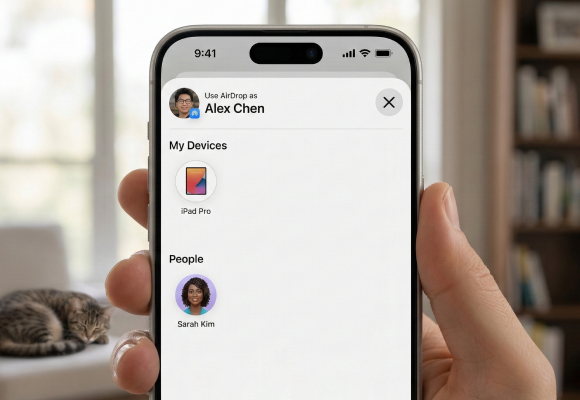
This streamlined approach means you can begin transferring immediately, as it is truly plug-and-play. Users avoid the hassle of searching app stores, navigating complicated installation wizards, or creating and remembering new credentials for external accounts. Everything necessary for the transfer is self-contained and readily accessible upon connecting.
To successfully send or receive a file, make sure both the sending and receiving devices meet these basic conditions:
Newer iPhones: Swipe down from the top right corner of the screen.
Older iPhones (with a Home button): Swipe up from the bottom of the screen.
Press and hold the box showing the Wi-Fi, Bluetooth, and Mobile Data icons.
A larger menu appears. Tap the AirDrop icon.
Receiving Off: You won't receive AirDrop requests.
Contacts Only: Only people in your phone book can see your device (requires you to be signed in to iCloud and for them to have your Apple ID email or phone number saved). This is generally the most secure option.
Everyone for 10 Minutes: All nearby Apple devices can see your device. This is ideal for sharing with someone not in your contacts. For security, it will automatically revert to 'Contacts Only' or 'Receiving Off' after 10 minutes.
Malware or unwanted programs running in the background can seriously slow down your machine.
How to Fix: Run a full scan using Windows Security or your preferred anti-virus software. This removes anything secretly slowing your system down.
Once AirDrop is on, sending is fast. This works for photos, videos, contacts, website links, documents, and more.

• Open the file you want to send—for example, a photo in the Photos app or a document in the Files app.
• If sending multiple items, tap Select and choose everything you want to share.
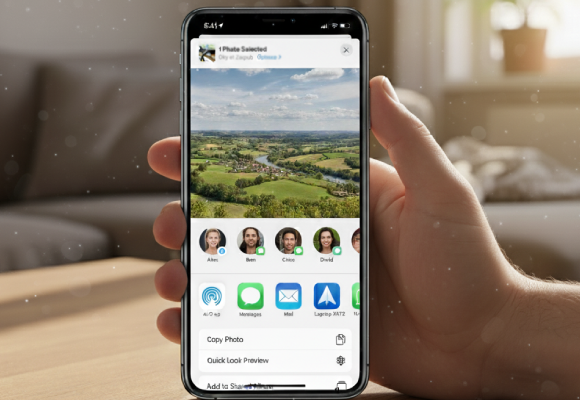
• Look for the Share button (it looks like a square with an arrow pointing up) at the bottom or top of the screen.
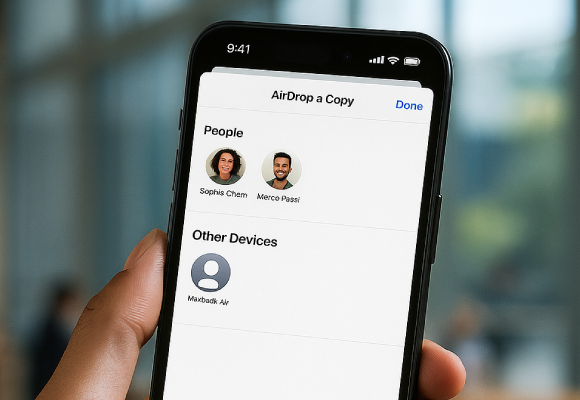
• A row of nearby AirDrop users will appear, often showing their contact photo or device name (e.g., 'Joe's iPhone' or 'MacBook Pro').
• Tap the name of the recipient you want to send the file to.
The recipient will receive a notification and will be asked to Accept or Decline the incoming file. Once accepted, the transfer begins instantly. Photos and videos save automatically to the Photos app; documents prompt a choice of where to save them.
See our full range of new iPhones.
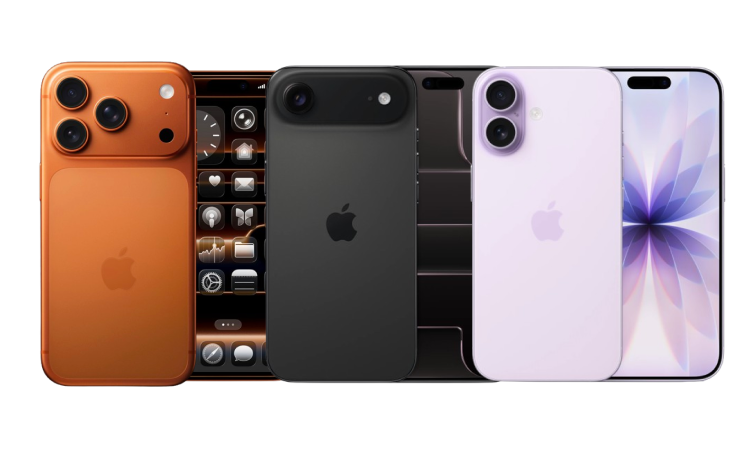
The newest Apple iPhones focus on enhanced integration, particularly through AirDrop, which is receiving notable security and convenience upgrades. Key updates include the introduction of a PIN code for pairing, allowing for secure file transfers that remain active for up to 30 days, bypassing the need for constant setting adjustments.
Furthermore, proximity features like NameDrop make sharing contact details easier than ever, leveraging your custom Contact Poster just by bringing devices close together, offering UK customers a more streamlined and secure sharing experience overall.
Shop now »


