


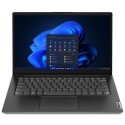


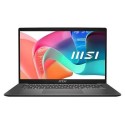
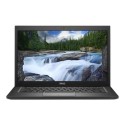

Very good condition - may display light cosmetic marks


Save money
Enjoy significant savings without compromising on quality.

Reduce waste
Reduce electronic waste and lower your carbon footprint.

Extensively Tested
Every refurbished device is rigorously tested and repaired by certified technicians.

Warranty included
This device is protected with a warranty covering both parts and labour.
Simplify hybrid work with the cost-effective, highly secure, and easily managed HP EliteBook 640. An Intel processor, a wide variety of ports, and connectivity options allow easy adoption for use at home, in the office, or when traveling.
Key Product Info
- Look your best, even in low light
- Fast and efficient wireless LAN
- Protected by HP Wolf Security
- Enterprise performance for hybrid work
Product Features
- Look your best, even in low light
Optimize your video calls in low lighting with an HD camera and temporal noise reduction that lowers the effects of visual noise and pixelation. - Fast and efficient wireless LAN
The portability of your PC and the reliability of a fast connection determine where you can work. Get a fast and reliable connection in dense wireless environments with Gigabit-speed Wi-Fi 6E. - Protected by HP Wolf Security
HP Wolf Security is a hardware-enforced, resilient defense that provides protection from cyber-attacks. - Enterprise performance for hybrid work
Security, manageability, and style for wherever work happens.