






















Excellent cosmetic condition - looks like new and saves you money.


Save money
Enjoy significant savings without compromising on quality.

Reduce waste
Reduce electronic waste and lower your carbon footprint.

Extensively tested
Every refurbished device is rigorously tested and repaired by certified technicians.
BSI Kitemark Certified
This device meets the BSI Kitemark™ certification standards, guaranteeing its quality and safety.

Warranty included
This device is protected with a warranty covering both parts and labour.
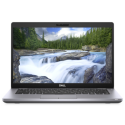
The Dell Latitude 5420 is designed for professionals who demand power, reliability, and flexibility. Powered by the 11th Gen Intel® Core™ i5 processor, this laptop delivers exceptional multitasking capabilities and fast performance across business applications. Whether you're crunching data, working in cloud environments, or multitasking between demanding programs, the Latitude 5420 can keep pace without missing a beat.
Massive Memory and Storage for Multitasking
Equipped with a generous 32GB of DDR4 RAM, the Latitude 5420 is engineered for heavy multitasking and high-performance computing. You can run multiple apps simultaneously without lag or slowdowns. Paired with a 1TB PCIe NVMe SSD, you get lightning-fast boot times, quick file transfers, and ample storage for all your documents, presentations, media, and professional software.
Stunning 14-Inch Full HD Display
Experience clarity and detail with the 14-inch Full HD (1920x1080) anti-glare display. This screen offers sharp visuals and wide viewing angles, ideal for working on spreadsheets, video calls, or creative tasks. The display also features narrow bezels for a more immersive view and compact footprint, making it perfect for on-the-go professionals.
Durable Design with Premium Build Quality
Built with Dell’s renowned durability standards, the Latitude 5420 boasts a professional-grade chassis that’s been rigorously tested to MIL-STD-810H specifications. It's crafted to withstand the rigors of everyday business use—from bumps in transit to long hours of operation. The device also features spill-resistant keyboard and robust hinge mechanisms for long-term durability.
Comprehensive Connectivity Options
Stay connected and productive wherever you are. The Dell Latitude 5420 offers a wide range of ports, including USB-C with DisplayPort and Power Delivery, USB-A, HDMI, RJ-45 Ethernet, microSD card reader, and an optional Smart Card reader. With Wi-Fi 6 and Bluetooth 5.1, you'll experience faster wireless speeds and stronger connections for remote work, video conferencing, and cloud collaboration.
Advanced Security and Management Features
Security is at the core of the Latitude series. The 5420 includes hardware-based security features such as TPM 2.0, optional fingerprint reader, facial recognition (IR camera depending on configuration), and Dell SafeBIOS. These features protect your sensitive data and ensure only authorized users can access the system. It’s also manageable through Dell’s unified workspace and remote support tools, ideal for IT environments.
What's in the Box?
- Laptop
- Power adaptor
When setting up your new unit you will need to activate your Microsoft License Key. Follow the simple step by step guide to find out how to do so, it is really quick and easy to do!
How to activate your Microsoft License Key »



