






















Excellent cosmetic condition - looks like new and saves you money.


Save money
Enjoy significant savings without compromising on quality.

Reduce waste
Reduce electronic waste and lower your carbon footprint.

Extensively Tested
Every refurbished device is rigorously tested and repaired by certified technicians.

Warranty included
This device is protected with a warranty covering both parts and labour.
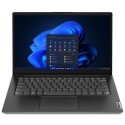
Meet the Lenovo ThinkBook 14 Gen 6 (14″ Intel) laptop, a state-of-the-art upgrade for your business. High-performing and ready to increase productivity, this device features 13th Gen Intel® Core™ processors, with the availability of cutting-edge Intel® Evo™ or Intel vPro® Essentials platforms. Enjoy the superior bandwidth of dual-channel memory configurations, for faster data transfer speeds and improved performance.
Feels as great as it looks
Along with the sleek look and feel of the Arctic Grey aluminum chassis, the ThinkBook 14 Gen 6 laptop boasts an upgraded ergonomically redesigned keyboard. The keys are larger than previous generations and include a concave cap that curves to your fingertips — plus, the keys are made from 50% post-consumer recycled plastic. The expanded touchpad feels smooth and easy. And an F9 smart key can be customized to open any frequently used app — or keep the default, which links directly to our Services page.
Keeps you and your data safe
Rest easy with the protection of the ThinkBook 14 Gen 6 laptop’s biometrics—from a fingerprint reader integrated with the power button, to facial recognition software that works with the infrared (IR) camera. ThinkShield, our comprehensive suite of security solutions, ensures your system is protected. Trusted Platform Module (TPM) firmware encrypts your data, and a self-healing BIOS restores critical info should your device ever become corrupted.
Collaborate smarter
An optional infrared hybrid camera takes videoconferencing to the next level. Enjoy rich, clear images on an even bigger screen (thanks to the 16:10 aspect ratio), with TÜV Rheinland Eyesafe® certification to ensure your comfort and safety. With AI-based noise cancellation and Dolby Audio™, say good-bye to background noises—people will hear you loud and clear, the same way you’ll hear them. And when you don’t want to be on camera, the webcam privacy shutter ensures you stay out of sight.
Link your smartphone to your laptop
With Intel® Unison™, you can put your laptop at the center of all that you do. Wirelessly connect your phone—either Android or iOS—to your ThinkBook 14 Gen 6. Transfer files quickly and easily, even edit your photos and videos seamlessly on the big screen. Make calls directly from your PC, with full access to your phone’s contact list. Plus, get notifications and messages right on your laptop.*Intel® Unison™ solution is currently only available on eligible Intel® Evo™ designs on Windows-based PCs powered by 12th Gen Intel® Core™ or newer CPU and only pairs with Android- or iOS-based phones; all devices must run a supported OS version. See intel.com/performance-evo for details, including set-up requirements. Results may vary.
Durable by design
We use the US Department of Defense's MIL-STD 810H standards to create a balance of reliability and durability for our ThinkBook laptops. We test against 26 procedures to ensure they run in extreme conditions. These tests cover harsh variables like Arctic wilderness and desert dust storms, including temperature, pressure, humidity, vibration, and more.



