

















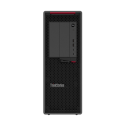
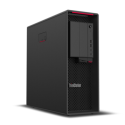

Good condition - Some scratches or dents


Save money
Enjoy significant savings without compromising on quality.

Reduce waste
Reduce electronic waste and lower your carbon footprint.

Extensively Tested
Every refurbished device is rigorously tested and repaired by certified technicians.

Warranty included
This device is protected with a warranty covering both parts and labour.
Powerful Intel Core i7 8th Gen Processor
At the heart of the Lenovo ThinkStation P330 USFF lies an 8th generation Intel Core i7 processor, delivering impressive performance for both demanding professional tasks and everyday computing. Whether you're working on design projects, handling large datasets, or multitasking between office applications, this CPU ensures everything runs smoothly and efficiently.
Compact Ultra-Small Form Factor (USFF) Design
Designed for space-conscious environments, the P330’s ultra-small form factor saves valuable desk real estate without sacrificing performance. Its sleek, minimalist chassis fits easily into tight workspaces, under desks, or behind monitors—making it ideal for offices, studios, or home setups that demand both aesthetics and practicality.
High-Speed 16GB DDR4 RAM
Multitask with confidence thanks to 16GB of high-speed DDR4 RAM. Open multiple applications, switch between large files, and power through intensive workloads with minimal lag or slowdown. This memory capacity is perfect for professionals who need a responsive system for business, creative, or development work.
Fast & Reliable 256GB SSD Storage
Experience fast boot-ups and quick access to files with the included 256GB solid-state drive (SSD). Compared to traditional hard drives, the SSD provides enhanced speed, reliability, and energy efficiency—ensuring that you spend less time waiting and more time doing.
Windows 11 Pro – Business-Ready OS
Pre-installed with Windows 11 Pro, the ThinkStation P330 USFF is equipped for professional environments. Enjoy advanced security features, improved productivity tools, and a streamlined user interface. With native support for enterprise features like BitLocker, Remote Desktop, and domain join, it's ready to integrate into any business IT ecosystem.
Engineered for Reliability & Longevity
Built with Lenovo’s renowned ThinkStation reliability, the P330 is engineered for 24/7 performance and durability. It meets MIL-SPEC standards and is ISV-certified for many industry-leading applications, making it a trusted choice for engineers, architects, creatives, and IT professionals alike.


