

















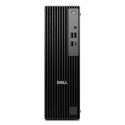



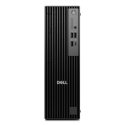

Very good condition - may display light cosmetic marks


Save money
Enjoy significant savings without compromising on quality.

Reduce waste
Reduce electronic waste and lower your carbon footprint.

Extensively Tested
Every refurbished device is rigorously tested and repaired by certified technicians.

Warranty included
This device is protected with a warranty covering both parts and labour.
UNLEASH GAMING DOMINANCE: IGNITE YOUR PASSION WITH THE PCSPECIALIST VORTEX ST-S GAMING PC
Embark on a Gaming Odyssey: Pinnacle of Processing Power
Ignite your gaming passion and ascend to new realms with the PCSpecialist Vortex ST-S Gaming PC, where cutting-edge technology meets unrivaled performance. Featuring the formidable eight-core processing power of the 11th generation Intel i7 processor, your gaming experience is elevated to unprecedented heights. Seamlessly switch between gaming, music streaming, and web browsing without a hint of lag, as multitasking becomes a breeze.
Key Features that Define Excellence
Unleash the Beast – Eight Cores of Processing Prowess
Dive into a world of limitless possibilities with the sheer might of the Intel i7 processor. Experience lag-free multitasking as you seamlessly navigate between intense gaming sessions, music streaming marathons, and web adventures.
Visual Brilliance – 1440p Gaming Adventure
Immerse yourself in the gaming universe with the RTX 3070 graphics card, driven by NVIDIA Ampere architecture. Conquer any game at 1440p, effortlessly navigating expansive maps and intricate scenery. The VR-ready RTX 3070 lets you step into virtual worlds with the magic of ray tracing, whether exploring galaxies or braving haunted houses.
Seamless Streaming – Stutter-Free Performance
Crafted for streaming enthusiasts, the RTX 3070 ensures stutter-free live gaming with enhanced audio and visuals. Engage with your audience or conquer virtual realms seamlessly, as every moment comes alive with uninterrupted perfection.
Storage Supremacy – Room for Every Game
Bid farewell to compromises on your game library. The Vortex ST-S boasts a colossal 2 TB of hard drive storage, erasing the need to delete cherished games for new adventures. With an additional 512 GB SSD drive, your game saves load instantly, ensuring you can dive back into the action without delay.
Elevate Your Gaming Odyssey: PCSpecialist Vortex ST-S
This is not merely a machine; it's a powerhouse that transforms your gaming fantasies into reality. Prepare for an extraordinary journey into the world of cutting-edge gaming. Order the PCSpecialist Vortex ST-S Gaming PC now and experience gaming dominance like never before. Your odyssey begins here.


