












Appliances Direct
Laptops Direct
Drones Direct
Better Bathrooms
Furniture 123
Dehumidifiers
Outdoor Living
Aircon
Buying for Business?

Get sales advice from our team 7 days a week

0871 244 0934

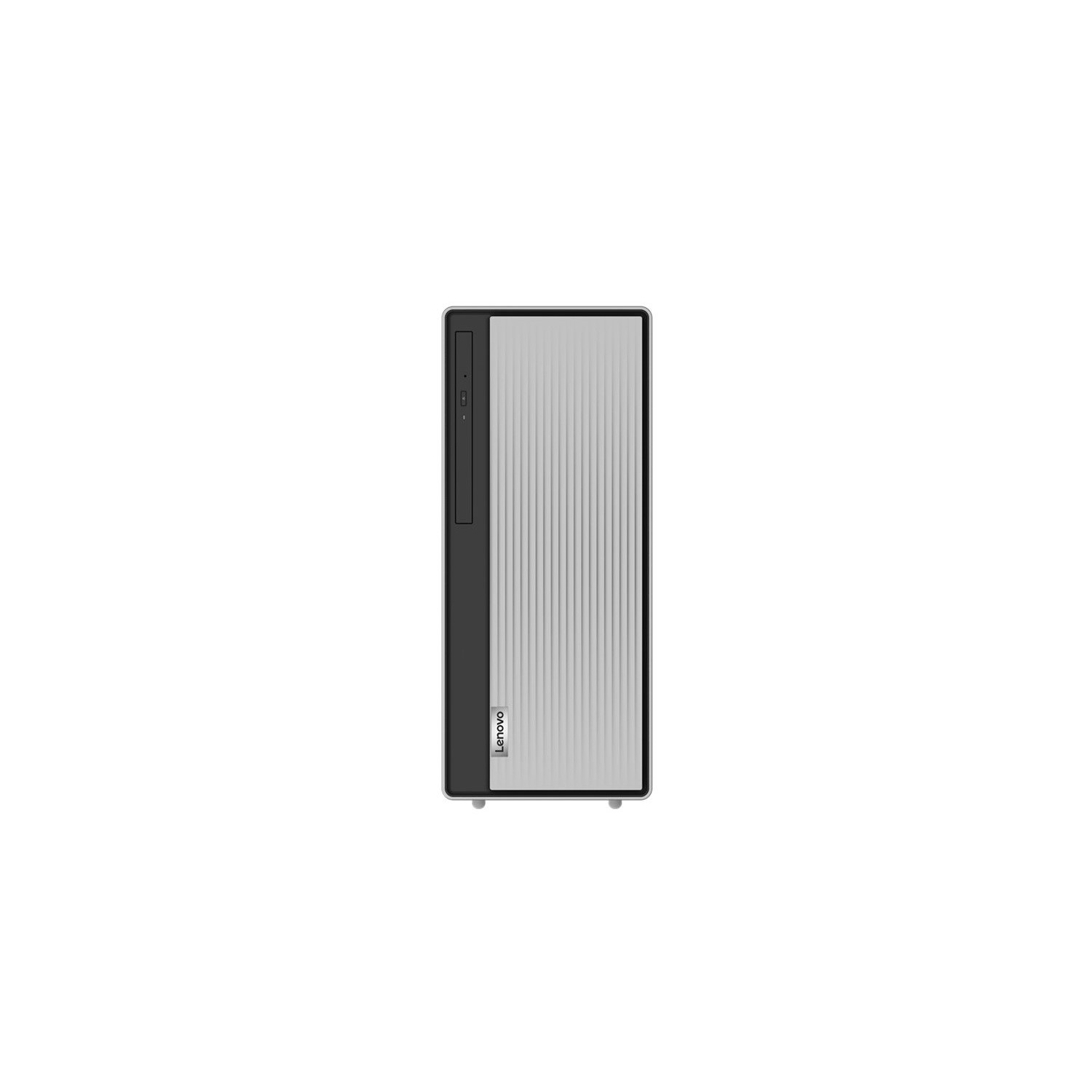
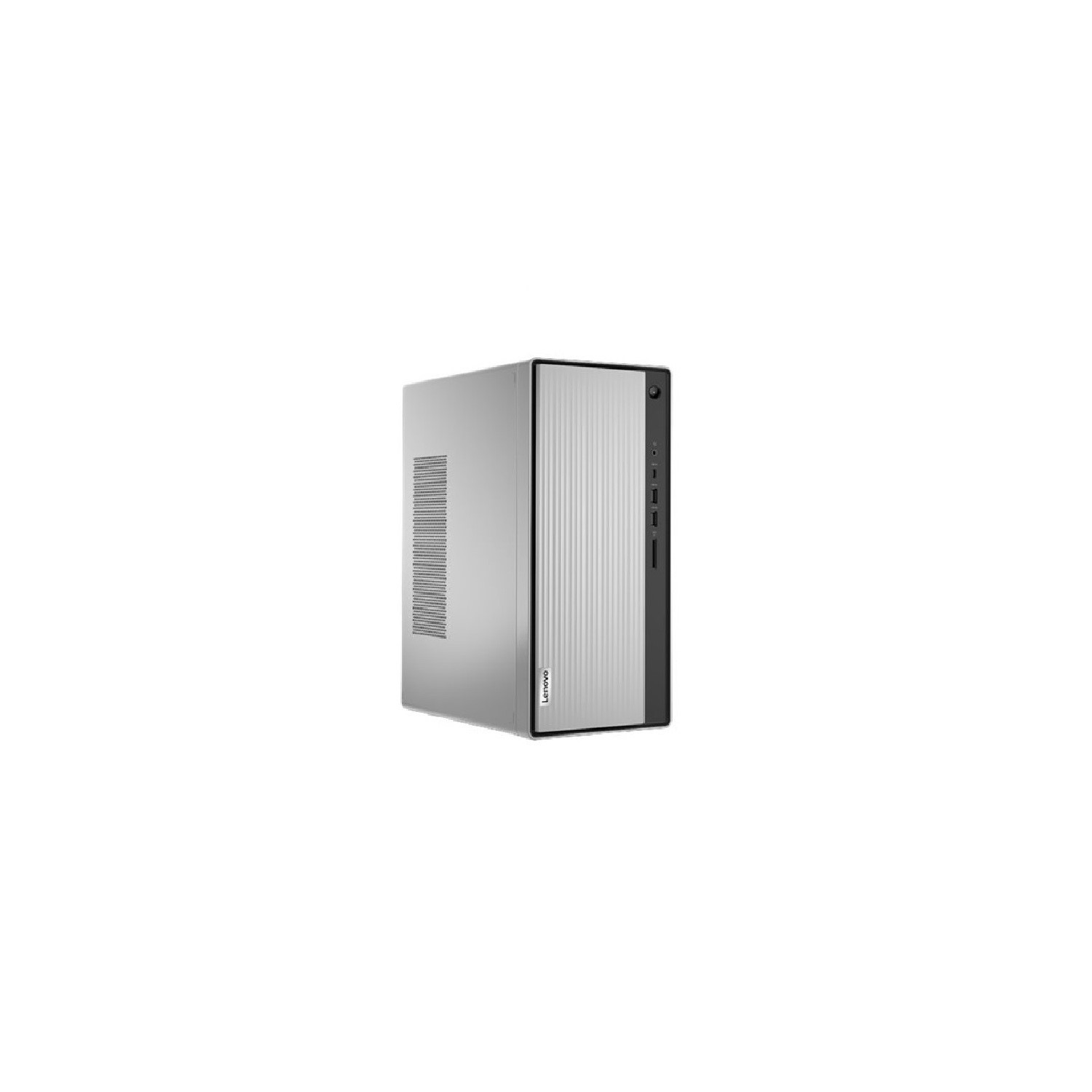
Refurbished Lenovo IdeaCentre 5i Core i5-10400 8GB 512GB Windows 11 Desktop

SKU: A2/90RJ0062UK Quickfind Code: 1812702
SAVE 16%

This product is no longer available.

Still need help?

For help finding something similar, just give us a call on 0871 244 0934*

* Calls cost 13p per min plus your network access charge

Product Information

Desktop hero for the home

The IdeaCentre 5i is a powerful contemporary desktop powered by the latest Intel Core processing.

Featuring gaming-grade graphics, fast DDR4 memory and 512GB SSD, it's up to the task of having fun-and will immerse you in it. It also looks great in your home.

Work or fun-do it all

The IdeaCentre 5i was designed to provide higher performance, no matter what you use it for. 

Enjoy powerful performance that brings you superfast, smooth, and hassle-free multitasking.

Store all your favorites

No need to worry about storage space with dual drives, featuring both HDD and NVMe M.2 SSD storage. With responsive SSD storage, you can experience shorter boot-up times and faster data transfer speeds.

All about the extras

Connect all the peripherals you need-you have a USB-C port and two USB 3.1 ports to choose from on the front of the tower, within easy reach. The IdeaCentre 5i also comes with four USB 2.0 ports, a 3-in-1 card reader,and an HDMI port, for all of your connections. The front panel has a slider door to protect the ports from dust; simply slide it to the right to do so and to access the optional optical disc drive.

Easy addition to the home

The sleekly designed IdeaCentre 5i blends perfectly into your home with its sophisticated Mineral Grey chassis. Whether you park it on a counter or tuck it away under a desk, it's sure to look great. But don't be fooled by the pretty face-this home PC has the power you need to boost your performance no matter what you do with it.


Some devices may come with Windows 11 pre installed, but some may need manually updating to the latest version of Windows from Windows 10, 10S or 11S. It's easy and free to do in just 3 easy steps. Find out how by clicking here »

How To Easily Update Your Windows Laptop

Some devices may come with Windows 11 pre installed, but some may need manually updating to the latest version of Windows from Windows 10, 10S or 11S. It's easy and free to do in just 3 easy steps.

Windows 11 the most productive and secure version of windows yet with easy Navigation, easy organisation and faster performance. Windows 11 has all the power and security of past Windows verisions but with a redesigned and refrshed look. With new tools, sounds and apps that all come together to bring a new refreshing Windows experience.

1. Settings > On your device Select the start button, then click on settings.

2. Updates & Security > Click on Updates & Security.

3. Windows Update > Select check for updates. If updates are available, click instal to get the latest version of Windows.


You may also like

Recently viewed


Back to top