













Appliances Direct
Laptops Direct
Drones Direct
Better Bathrooms
Furniture 123
Dehumidifiers
Outdoor Living
Aircon
Buying for Business?

Get sales advice from our team 7 days a week

0871 244 0934

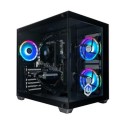
Refrubished Asus ROG Strix G15DK AMD Ryzen 7 5800X 16GB 2TB & 256GB RTX 3070 Windows 11 Gaming Desktop

SKU: A1/G15DK-AM003DT Quickfind Code: 1736582

This product is no longer available.

Still need help?

For help finding something similar, just give us a call on 0871 244 0934*

* Calls cost 13p per min plus your network access charge

Powerful processing

Game to your heart's content with the ASUS ROG Strix G15DK Gaming Desktop. It features an AMD Ryzen 7 processor, so you'll be able to run any program you want without the worry of lag. The multi-threaded processing technology lets you multi-task between gaming, photo editing and more, so you never have to miss a thing.

Immersive graphics

Powered by NVIDIA Ampere architecture, the RTX 3070 graphics card is able to handle any game you like, no matter how big the map or how detailed the scenery is. It's VR ready too. So put on your headset and get immersed in virtual worlds, whether you're exploring the galaxy or sneaking around a haunted house. All with ray tracing.

Cool and portable

The ASUS ROG Strix G15DK comes in a slim and well-tuned chassis. There's a lot of vents and fans all around, so it's going to keep low temperatures even at a full throttle. What's more, the PSU has it's own chamber to keep the processor and graphics card even cooler.


Some devices may come with Windows 11 pre installed, but some may need manually updating to the latest version of Windows from Windows 10, 10S or 11S. It's easy and free to do in just 3 easy steps. Find out how by clicking here »

How To Easily Update Your Windows Laptop

Some devices may come with Windows 11 pre installed, but some may need manually updating to the latest version of Windows from Windows 10, 10S or 11S. It's easy and free to do in just 3 easy steps.

Windows 11 the most productive and secure version of windows yet with easy Navigation, easy organisation and faster performance. Windows 11 has all the power and security of past Windows verisions but with a redesigned and refrshed look. With new tools, sounds and apps that all come together to bring a new refreshing Windows experience.

1. Settings > On your device Select the start button, then click on settings.

2. Updates & Security > Click on Updates & Security.

3. Windows Update > Select check for updates. If updates are available, click instal to get the latest version of Windows.


You may also like

Recently viewed


Back to top