

















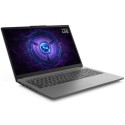
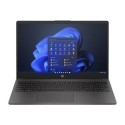
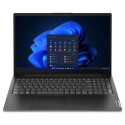
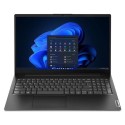
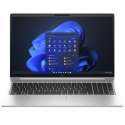
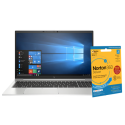

Excellent cosmetic condition - looks like new and saves you money.


Save money
Enjoy significant savings without compromising on quality.

Reduce waste
Reduce electronic waste and lower your carbon footprint.

Extensively tested
Every refurbished device is rigorously tested and repaired by certified technicians.
BSI Kitemark Certified
This device meets the BSI Kitemark™ certification standards, guaranteeing its quality and safety.

Warranty included
This device is protected with a warranty covering both parts and labour.
Powerful 10th Gen Intel Core i5 Performance
The HP ZBook Fury 15 G7 is equipped with a 10th generation Intel Core i5 processor, delivering robust and reliable performance to handle demanding tasks with ease. Whether you're multitasking, editing media, or running professional applications, this laptop ensures smooth and efficient operation, making it an ideal choice for professionals and creatives alike.
Professional-Grade Graphics with NVIDIA Quadro T1000
Designed for precision and performance, the ZBook Fury 15 G7 features an NVIDIA Quadro T1000 GPU. This professional-grade graphics card is optimized for design, 3D modeling, and CAD applications, giving users the power and stability needed to work confidently on complex projects with superior visual fidelity and rendering capabilities.
Generous 16GB RAM for Multitasking Efficiency
With 16GB of DDR4 memory, this workstation-class laptop ensures fast performance when running multiple applications at once. You can seamlessly switch between programs, keep numerous browser tabs open, and run memory-intensive software without lag or slowdown, making it perfect for productivity-driven users.
Blazing-Fast 512GB SSD Storage
The 512GB solid-state drive (SSD) provides rapid boot times, quick file access, and efficient data handling. Whether you're working with large design files, high-resolution videos, or just need ample space for your projects and software, this SSD ensures you're not left waiting for your laptop to catch up.
Stunning 15.6-Inch Full HD Display
The 15.6-inch display offers crisp visuals and vibrant colors, allowing for a more immersive viewing experience. Whether you're editing images, reviewing blueprints, or watching media, the full HD resolution ensures sharp detail and clarity. The screen is also large enough to support effective multitasking with side-by-side windows.
Built for Windows 11 Pro
Experience the latest productivity features with Windows 11 Pro. Enhanced with new tools for professional workflows, seamless multitasking, and enterprise-level security, Windows 11 Pro supports your business needs while offering a clean, modern interface for everyday use.
Precision-Crafted for Durability and Mobility
Engineered with a robust chassis and premium materials, the HP ZBook Fury 15 G7 is built to handle the rigors of mobile work. Despite its powerhouse capabilities, it remains relatively slim and portable, ideal for professionals who need high performance on the go without compromising durability or design.
Enhanced Connectivity and Expansion Options
Stay connected and expand your setup with a wide array of ports, including USB-C, USB 3.1, HDMI, and an SD card reader. Whether you're connecting to external displays, transferring files, or integrating with other devices in your workflow, the ZBook Fury offers the flexibility professionals demand.
What's in the Box?
- Laptop
- Power adaptor
When setting up your new unit you will need to activate your Microsoft License Key. Follow the simple step by step guide to find out how to do so, it is really quick and easy to do!
How to activate your Microsoft License Key »



