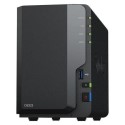





Back up a lifetimes worth of memories with Time Capsule, a wireless hard drive that works seamlessly with Time Machine in Mac OS X Leopard and Snow Leopard. It’s also a full-featured 802.11n Wi-Fi base station with simultaneous dual-band support.
Automatic backup with Time Machine
Time Capsule works automatically with Time Machine in Mac OS X Leopard or Snow Leopard to create the perfect no-hassle backup solution. There are no cables, and you can back up all the computers in your home to a central location. New technologies in Time Capsule and refinements to Time Machine make backing up to Time Capsule using Snow Leopard up to 75 percent faster than before.
Easy wireless networking
Connect your DSL or cable modem to Time Capsule, then quickly set it up with the easy-to-use AirPort Utility, which is available as download for both Mac OS X and Windows. In minutes, you and up to 50 others can use your Mac computers or PCs to surf the web, stream video, share photos and more — without wires.
System Requirements
- For Time Machine backup: Mac with Mac OS X Leopard or Snow Leopard
- For set-up and administration: Mac computer with Mac OS X v.10.5.7 or later and Ethernet or wireless networking capability or PC with Windows XP (SP3) or Windows Vista (SP2) or Windows 7 (SP1) or later and Ethernet or wireless networking capability
- For wireless client access: Mac with AirPort or AirPort Extreme wireless capability or PC with 802.11a/b/g/n
- For shared hard drive: Mac with Mac OS X v10.4.8 or later or PC with Windows XP (SP2) or Windows Vista; Bonjour for Windows included with AirPort Utility available as download via Software Update.
- For shared printing: USB printer Mac with Mac OS X v10.2.7 or later or PC with Windows XP (SP2) or Windows Vista; Bonjour for Windows included with AirPort Utility available as download via Software Update