












Appliances Direct
Laptops Direct
Drones Direct
Better Bathrooms
Furniture 123
Dehumidifiers
Outdoor Living
Aircon
Buying for Business?

Get sales advice from our team 7 days a week

0871 244 0934

Refurbished PC Specialist Tornado R5 AMD Ryzen 5 5600X 16GB & 2TB & 512GB RTX 3060 Windows 11 Gaming Desktop

SKU: A3/PCS-D2065677 Quickfind Code: 1717821
SAVE 7%

This product is no longer available.

Still need help?

For help finding something similar, just give us a call on 0871 244 0934*

* Calls cost 13p per min plus your network access charge

This is a graded product. A3 products may have slight damage and marks. All products are tested and in good working order.

Powerful processing

Game until your heart's content with the PCSpecialist Tornado R5 Gaming PC. Featuring an AMD Ryzen 5 processor, you'll be able to run any program you want without the worry of lag. The multi-threaded processing technology lets you multi-task between gaming, photo editing, and more so you never have to miss a thing.

NVIDIA GeForce RTX 3060

The Tornado R5 features an RTX 3060 graphics card, powered by Ampere - NVIDIA's 2nd gen RTX architecture. With DLSS acceleration and enhanced ray tracing as well as a massive 12 GB of memory, it's designed to deliver the ultimate gaming performance.

Designed for eSports

Benchmarked on leading eSports titles like Fortnite, League of Legends, CS:GO and Apex Legends, the Tornado R5 is capable of handling intense and drawn out battles online. No matter what you're playing you'll get smooth framerates at high settings.

RGB LED lighting

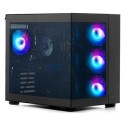
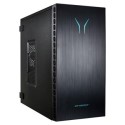
Stand out from the rest with RGB LED lighting built in. And because the R5 has a transparent side, you can show off your components to all your tech-loving friends. A powerful computer always deserves an attractive case.


Some devices may come with Windows 11 pre installed, but some may need manually updating to the latest version of Windows from Windows 10, 10S or 11S. It's easy and free to do in just 3 easy steps. Find out how by clicking here »

How To Easily Update Your Windows Laptop

Some devices may come with Windows 11 pre installed, but some may need manually updating to the latest version of Windows from Windows 10, 10S or 11S. It's easy and free to do in just 3 easy steps.

Windows 11 the most productive and secure version of windows yet with easy Navigation, easy organisation and faster performance. Windows 11 has all the power and security of past Windows verisions but with a redesigned and refrshed look. With new tools, sounds and apps that all come together to bring a new refreshing Windows experience.

1. Settings > On your device Select the start button, then click on settings.

2. Updates & Security > Click on Updates & Security.

3. Windows Update > Select check for updates. If updates are available, click instal to get the latest version of Windows.


You may also like

Recently viewed


Back to top